
@PaoloBLEvo just for clarity is the idea of smart power to continue to still use three modes or just to leave it in one like automatic gearbox?
Navigation
Install the app
How to install the app on iOS
Follow along with the video below to see how to install our site as a web app on your home screen.
Note: This feature may not be available in some browsers.
More options
Style variation
You are using an out of date browser. It may not display this or other websites correctly.
You should upgrade or use an alternative browser.
You should upgrade or use an alternative browser.
The Official BLEvo Thread
a
- Thread starter Rob Rides EMTB
- Start date

- Status
- Not open for further replies.
⚡ EMTB PRO
25% off e*thirteen, Peaty’s & more with PRO
Member-only deals from e*thirteen, Peaty’s, PEMBREE and Magicshine · ad-free browsing · PRO badge · Living Intelligence Reports
See the deals →
From £1.99/month

Hi guys,
I was wondering if anyone uses a watch for the smart HR function and if so which one. I can not wear a chest strap and I have read the official blevo forum and there are a couple of examples of the the chest strap.
So yea, just looking for some feedback.
I was wondering if anyone uses a watch for the smart HR function and if so which one. I can not wear a chest strap and I have read the official blevo forum and there are a couple of examples of the the chest strap.
So yea, just looking for some feedback.


@PaoloBLEvo , tested Smart Power again yesterday. Still great performance. One Issue I recognized was that when Smart Power is increasing the assistance this is done very quickly and by a big move, e.g. from 9% straight to 15%. Decreasing is done in steps. Can I make this more smoothly? And where can I activate the Smart Boost function? I can read about this in the help section of Smart Power.
Second question: Can I combine Smart Power with Smart HR? When I'm riding uphill trails, Rider power is usually above the threshold. HR above 140 or 150. When having a small piece with less watt input needed Smart Power is decreasing assistance. HR is still above 140 or 150. As I want to have that piece of ride to use for recovery, can I use Smart HR with 140 or 150?
Thanks.
Second question: Can I combine Smart Power with Smart HR? When I'm riding uphill trails, Rider power is usually above the threshold. HR above 140 or 150. When having a small piece with less watt input needed Smart Power is decreasing assistance. HR is still above 140 or 150. As I want to have that piece of ride to use for recovery, can I use Smart HR with 140 or 150?
Thanks.

Could you share a screenshot of your Smart Power setup?@PaoloBLEvo , tested Smart Power again yesterday. Still great performance. One Issue I recognized was that when Smart Power is increasing the assistance this is done very quickly and by a big move, e.g. from 9% straight to 15%. Decreasing is done in steps. Can I make this more smoothly? And where can I activate the Smart Boost function? I can read about this in the help section of Smart Power.
Second question: Can I combine Smart Power with Smart HR? When I'm riding uphill trails, Rider power is usually above the threshold. HR above 140 or 150. When having a small piece with less watt input needed Smart Power is decreasing assistance. HR is still above 140 or 150. As I want to have that piece of ride to use for recovery, can I use Smart HR with 140 or 150?
Thanks.
In order to have a down decresing smoothly you can select "Auto very soft".
For Boost functionality, it is automatically implemented when you select step up Auto.
I think you need to increase the max value of eco.. put 34%..
You can combine Smart Power and Smart HR.. but you need a heart monitor.. then there will be the option for smart HR..
Thanks @PaoloBLEvo . Will test this.
Tonight I release the new version 2.7.0 for iOS with the new Bike Monitor...
Update it from Apple Store..
BLEvo - For Smart Turbo Levo su App Store
Let me know if you found any issue..
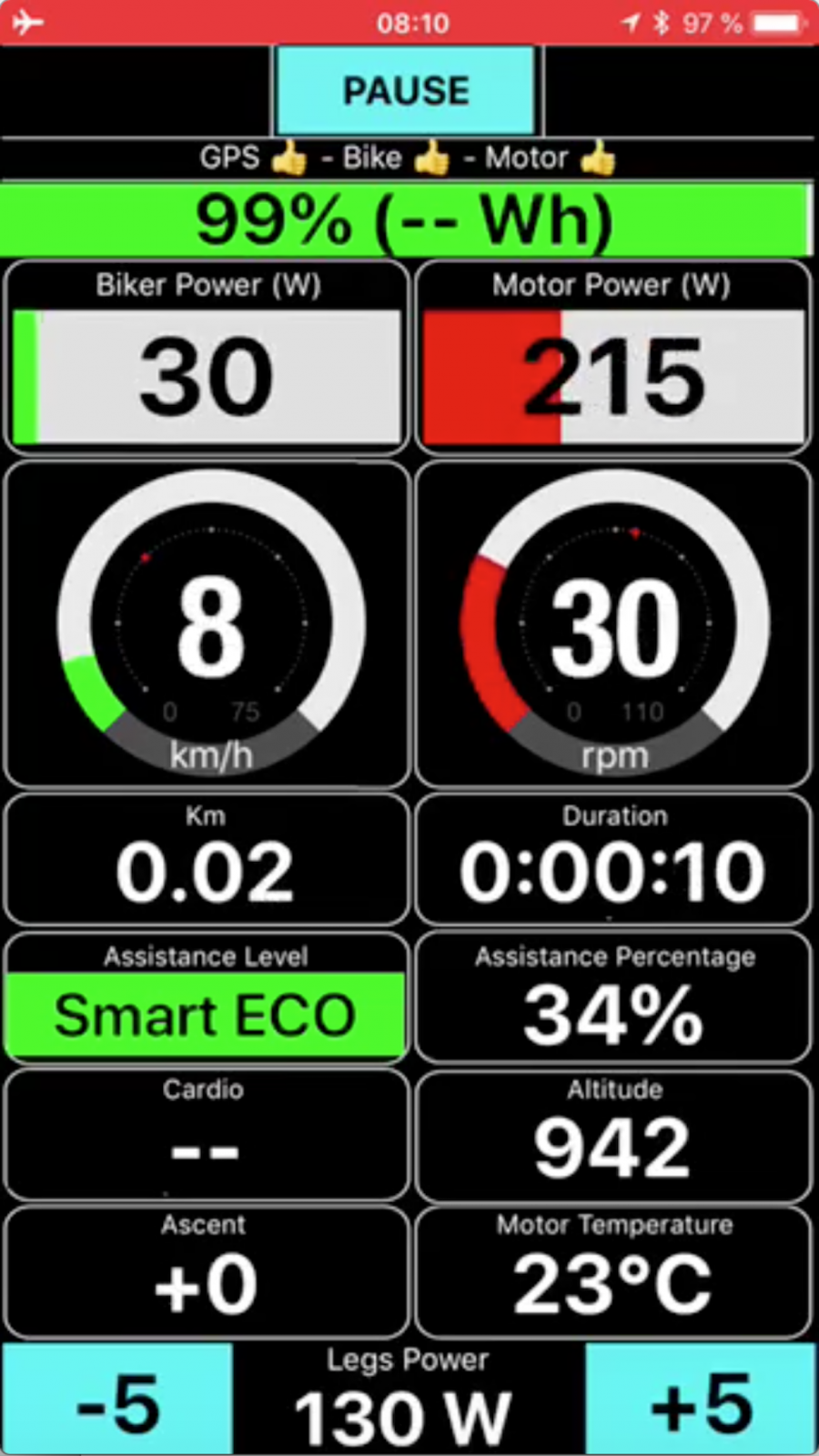
Update it from Apple Store..
BLEvo - For Smart Turbo Levo su App Store
Let me know if you found any issue..
jxj
Member
Seems that the android version is much more advanced.
Have to look for a cheap android phone just for blevo it seems
I do the same thing. I have a dedicated charger and cable for the "burner" android phone that stays with the bike charger. Plug the bike and the phone in after the ride. In my case my phone battery lasts just about the same length of time as the Levo battery.
Last edited:
This is the reason why it is better to "invest" on a low cost Android..I just bought Sony Experia z3 compact for BLevo for 60euros. And it has IP68.
Main reason is that i managed to drop my iPhone8 yesterday from Quadlock. Luckily phone didn't got any damage.

gr8
New Member
But i read that set the pp = 100 will drain the battery much faster... I depend on longer battery life rather than more power.
So i have the following settings
Eco 20/40
Trail 50/70
Turbo 100/100
Any advice? Thanks
So i have the following settings
Eco 20/40
Trail 50/70
Turbo 100/100
Any advice? Thanks

JayB
Active member
Paolo, I am having problems finding this menu page on the iOS app version which allows you to set the Auto Fast setting and Auto Soft setting. On the Android version I finally found it using the android menu button, but having trouble finding it on iOS. My wife and I love the functionality of the app but getting around the settings still a little challenging. Have you done an English manual update since the one you released in June? I know you stay busy with the code, we appreciate it! Thanks
The Auto soft and Auto fast are hidden in the "reactivity" selection...Paolo, I am having problems finding this menu page on the iOS app version which allows you to set the Auto Fast setting and Auto Soft setting. On the Android version I finally found it using the android menu button, but having trouble finding it on iOS. My wife and I love the functionality of the app but getting around the settings still a little challenging. Have you done an English manual update since the one you released in June? I know you stay busy with the code, we appreciate it! Thanks
For the user manual for ios, I will do before the end of the month... I hope...
Sorry for this..
JayB
Active member
Paolo, two more questions and I will wait for the iOS manual update.
I prefer the older display on the iOS BLevo app before the update (maybe I'm just used to it), please tell me where the display page is on the iOS app so I can change from the new display to the default one, the one I had used before the update.
Also, a new dialog box pops up at the start urging me to set the GPS on Always, instead of while the App is active. Not sure why I would want my GPS running on my phone always when I'm not using the app, or riding, most of the day. Seems this would adversely effect my phone's battery.
Thanks again!
I prefer the older display on the iOS BLevo app before the update (maybe I'm just used to it), please tell me where the display page is on the iOS app so I can change from the new display to the default one, the one I had used before the update.
Also, a new dialog box pops up at the start urging me to set the GPS on Always, instead of while the App is active. Not sure why I would want my GPS running on my phone always when I'm not using the app, or riding, most of the day. Seems this would adversely effect my phone's battery.
Thanks again!
Paolo, two more questions and I will wait for the iOS manual update.
I prefer the older display on the iOS BLevo app before the update (maybe I'm just used to it), please tell me where the display page is on the iOS app so I can change from the new display to the default one, the one I had used before the update.
Also, a new dialog box pops up at the start urging me to set the GPS on Always, instead of while the App is active. Not sure why I would want my GPS running on my phone always when I'm not using the app, or riding, most of the day. Seems this would adversely effect my phone's battery.
Thanks again!
Why you like previous display?
The GPS is required to be set to Always, otherwise the app will not record the complete GPS route if you lock the screen.
The GPS is active only if the bike monitor is active. If not, the GPS is not used so the battery is safe.

Why you like previous display?
The GPS is required to be set to Always, otherwise the app will not record the complete GPS route if you lock the screen.
The GPS is active only if the bike monitor is active. If not, the GPS is not used so the battery is safe.
For what it's worth - I prefer the new display, big improvement in my view.
I have the same problem , like around 10-15% shorter distance in BLEvo compared with Garmin or Apple Watch.Phone is always on the bar, with Quadlock. Km is calculated with gps. Gps does this always with BLevo, dropping of constantly.
Phone is iPhone8. There's no this problem with Mission Control.
View attachment 4258
Please try the latest release (2.7.1)and let me know..I have the same problem , like around 10-15% shorter distance in BLEvo compared with Garmin or Apple Watch.
I have the same problem , like around 10-15% shorter distance in BLEvo compared with Garmin or Apple Watch.
and probably obvious but make sure your wheel size is set correctly
Still dropping off gps. Tested this morning. Didn’t compare with Strava but gps was dropping off several times on my way to work.Please try the latest release (2.7.1)and let me know..
But soon i’ll get my Android, maybe it will perform better.


Last edited:
JayB
Active member
Why you like previous display?
The GPS is required to be set to Always, otherwise the app will not record the complete GPS route if you lock the screen.
The GPS is active only if the bike monitor is active. If not, the GPS is not used so the battery is safe.
I will admit that I may have not given the new display enough time riding, but in my opinion, the original display showed me more fields that I was exploring while learning to use the BLEvo app without the initial and future manual updates. Is it possible that the iOS version does not allow the display customization like the Android version does? Just looking at possibly customizing the data fields.like I can on the Android version, but unable to find the display option on iOS. Still love the app and functionality, will put more time in today on the new display. Thanks!
JayB
Active member
I will admit that I may have not given the new display enough time riding, but in my opinion, the original display showed me more fields that I was exploring while learning to use the BLEvo app without the initial and future manual updates. Is it possible that the iOS version does not allow the display customization like the Android version does? Just looking at possibly customizing the data fields.like I can on the Android version, but unable to find the display option on iOS. Still love the app and functionality, will put more time in today on the new display. Thanks!
After riding with the new iOS version of the BLEvo app for a couple hours, I agree that I do like the new display better than the previous one. Easy to read and has nice active overlays on several fields to make it more intuitive. Thanks, Paolo!
@PaoloBLEvo - I hoping it's of help but as below, the screen is not formatted correctly on iPhone X - not sure if it's related/relevant but I'm running iOS 12 Beta 10
Also, a nice to have would be Ascent in Feet (on the display) when using Miles (noting the data output is in Feet - which is good)
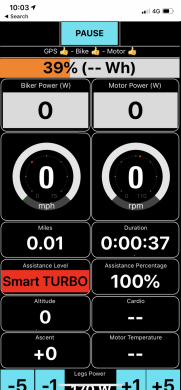
Also, a nice to have would be Ascent in Feet (on the display) when using Miles (noting the data output is in Feet - which is good)
Thanks for the report...@PaoloBLEvo - I hoping it's of help but as below, the screen is not formatted correctly on iPhone X - not sure if it's related/relevant but I'm running iOS 12 Beta 10
Also, a nice to have would be Ascent in Feet (on the display) when using Miles (noting the data output is in Feet - which is good)
View attachment 4424
I will check and update as soon as possible..
VaseLEVO
New Member
I bought this, bike too new to me and just did my first ride, with mission control and noticed I can’t figure out how many calories I burned. I already had BLEvo, but am using iPhone 7 for display. Also have Apple Watch, is the heart rate monitor going to work via the watch? Also if I already have a ride saved can I export to BLEvo and see calculated statistics.
Mornings PaoloThanks for the report...
I will check and update as soon as possible..
I attach my files and maybe you can find out if and why the GPS data drops out.
In settings I have checked: BLEvo/Location/Always.
Thanks for your effort and the new display, I like it but it seems I don't get speed info on the display.
Thanks
Thomas
Attachments
I will add the burned calories.. for now the Apple Watch cannot be used for heart monitor.. may be in the future.I bought this, bike too new to me and just did my first ride, with mission control and noticed I can’t figure out how many calories I burned. I already had BLEvo, but am using iPhone 7 for display. Also have Apple Watch, is the heart rate monitor going to work via the watch? Also if I already have a ride saved can I export to BLEvo and see calculated statistics.
You cannot import in BLEvo the ride.. it is not so easy to do..
- Status
- Not open for further replies.
Similar Threads

Free account
Join 43,188
eMTB riders
eMTB riders
One tap. No forms. Fewer ads.
or sign up with email
Already a member? Log in