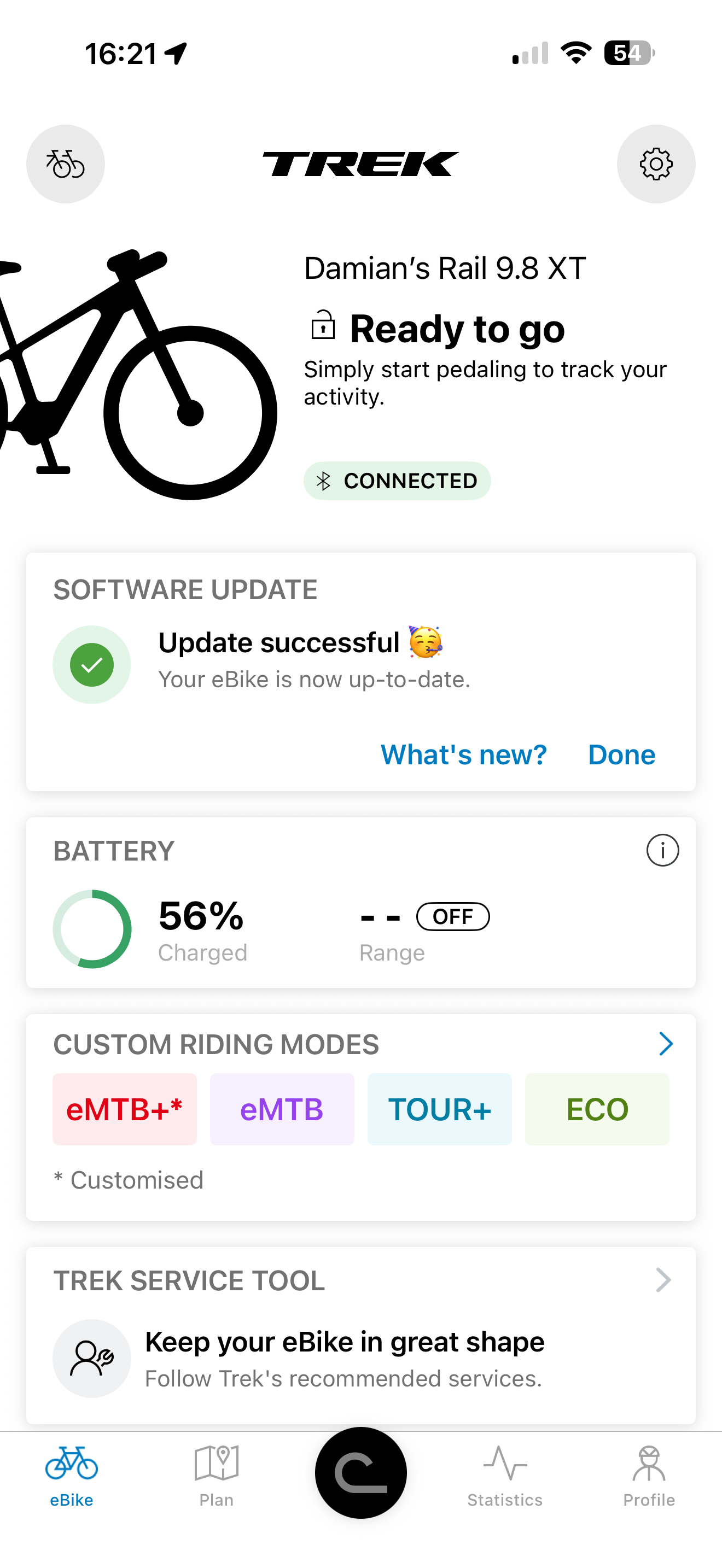
Project to enable Bosch + Garmin integration

And here, the speed should be exactly the same as displayed on Kiox. Assuming that Bulcan transmits ANT+ LEV speed (which is likely the case).
I have now seen a few .fit files recorded on a Garmin with Bulcan connected.

As expected Bulcan transmits speed and not wheel rotation pulses. Speed is picked up by Garmin and is displayed just fine in any configured speed data field.

The exception and error occurs when coming to a stop. For unknown reasons Bulcan does not drop the transmitted speed to zero but only to 2.8 kph. As soon as one starts riding again the speed goes back up to the correct value.

Bulcan support is looking into the cause for this error and will hopefully find a fix shortly.
 
⚡ EMTB Pro Go Pro — exclusive discounts & ad-free Peaty's 25% off & more · Ad-free browsing · Pro badge See the deals →
Just ordered one, discount code still works too, but not on the English translated page
For some reason.
 
To those who are using the Bulcan, are there any issues with using the flow app? Does the software identify that something additional has been added?
 
To those who are using the Bulcan, are there any issues with using the flow app? Does the software identify that something additional has been added?
I haven't experience any advese effects so far. I was thinking about it along the same lines as you (if it may potentially be detected by anti-tamper mechnisms in Bosch motor/sw) but came to a conclusion that Bulcan's main function is to capture data between motor and display and relay it to external source via ANT+ which Bosch doesn't support. I know this is very simple logic and may not take into account all the potential quirks but bottom line is I haven't experienced any issues with the motor/Flow app after instaling Bulcan.
 
Great, thanks for the info.

I must have misread somewhere and assumed the bulcan transmits over Bluetooth as well as ant+. Shame as I was hoping to connect the sensors to my Apple Watch.

Mines not arriving yet (ordered Tuesday) but hoping it comes before my cycle trip away next week.
 
Last edited:
One further question, I’m assuming this can be connected anywhere inline of the display cable rather than just at the motor?

I have very little room inside the motor case of my trek rail bike and so am planning on installing it in the down tube near the system controller.
 
One further question, I’m assuming this can be connected anywhere inline of the display cable rather than just at the motor?
Not sure how you would connect the Bulcan inline.

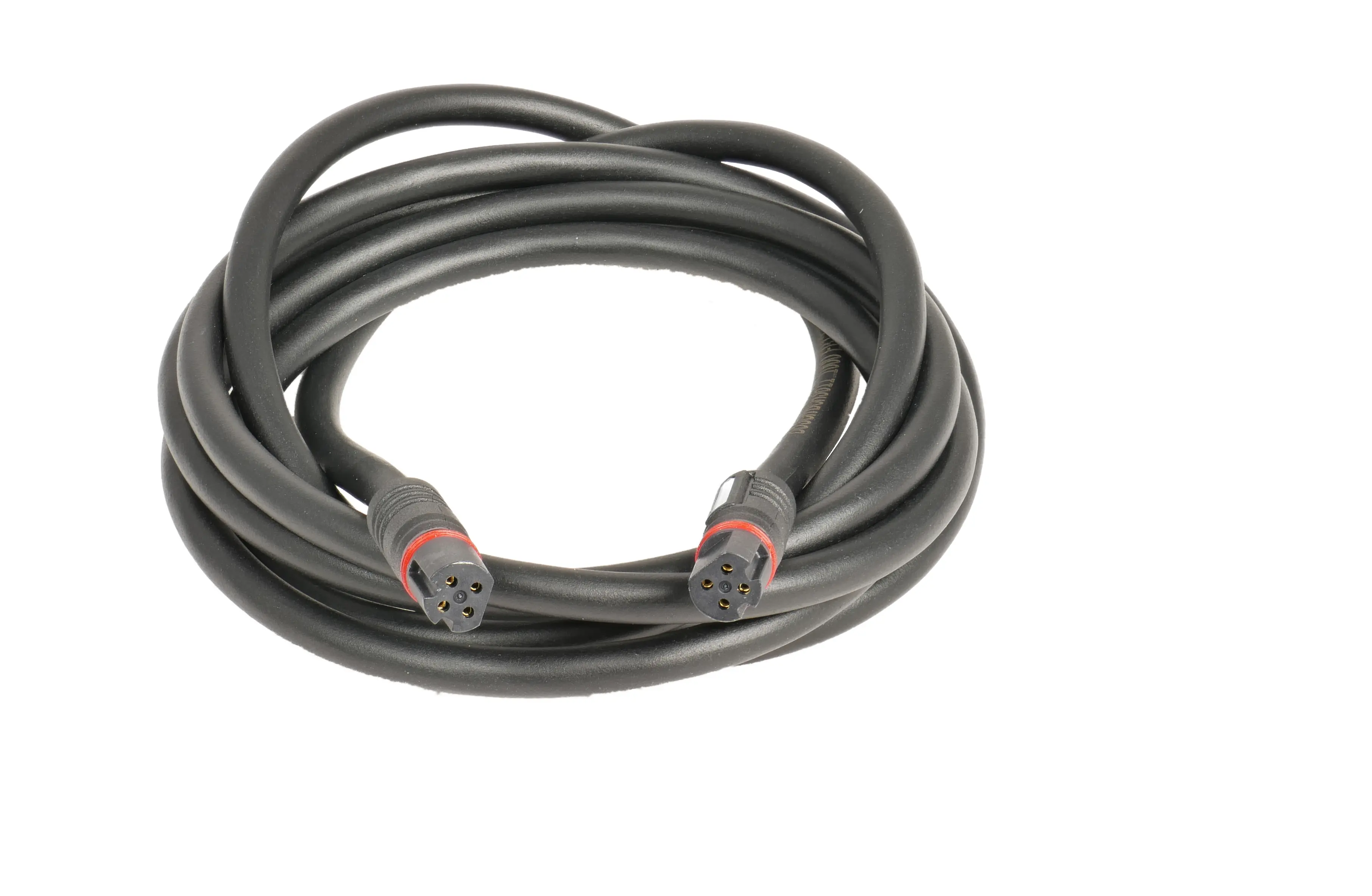
The transmitter has two cables, one with a plug to fit into the motor display port and the second with a socket where you fit the display cable plug.

A display cable has a plug on either side and no socket.
 
If there’s a male and female connector it theoretically will work inline.

I should be able to unplug the display cable that is currently plugged into my system controller and plug that into the Bulcan, then plug the male from the Bulcan back into my system controller.

Or at least that’s what I’ll be attempting when mine arrives. I’ve already had a kiox 300 added after receiving my bike using this method. A new longer cable was used to motor to kiox300 (it used to go straight to the system controller) which then connects to system controller.

It’s the same method used by some to add the connect module if they don’t have room to fit it inside the motor cover.

I’ll update this thread once I’ve got it whether it works or not, pretty sure it should though.
 
I would have thought they were male both ends. From what I’ve seen on the instructions you unplug the current cable that goes into the motor, plug that into 1end of the Bulcan then plug the Bulcan into the motor, all I’m doing is moving the location of the plugging up the line. Or at least I hope.
 
This is a display cable, it has the same plugs on both ends.
Bulcan has a socket on one end to plug the display cable in and a plug on the other end which goes into the motor socket. On that side you can't connect your display cable.
bosch-display-kabel-smart-system.png
 
Yep, that’s correct. So the socket on the Bulcan accepts the male end of the display cable which is currently connected the system controller and the male plug on the Bulcan will then plug into system controller instead.

It will be the same process as pulling the lead out the motor and plugging into the Bulcan and then plugging the Bulcan into the motor.
 
Yep, that’s correct. So the socket on the Bulcan accepts the male end of the display cable which is currently connected the system controller and the male plug on the Bulcan will then plug into system controller instead.

It will be the same process as pulling the lead out the motor and plugging into the Bulcan and then plugging the Bulcan into the motor.
Just did it as you described. Works fine. This may actually be better setup as it protects Bulcan from moisture and grime compared to when mounted next to the motor. Good tip!

Edit:
This may be useful to understand how it all is plugged together. Depending on you specific set up there's a couple of different combinations possible (eg - if you have LED remote which also acts as your system controller it may not be feasible to install it this way)
Link:
 
Last edited:
Great, pretty sure it would have from what I’ve seen / read., good to get the confirmation. Yeah it would still be possible but I believe as there is no outwards lead from the led remote you’d need to purchase the y split display cable.

 
Yeah it would still be possible but I believe as there is no outwards lead from the led remote you’d need to purchase the y split display cable.

.. or connect Bulcan next to LED remote and let it dangle :)
 
Don’t suppose anyone is able to confirm if the Bulcan sends the data via Bluetooth as well as ant+

My aim would be to just use my Apple Watch to record the rides as I moved away from Garmin products a few years ago when I went with Apple.
 
Don’t suppose anyone is able to confirm if the Bulcan sends the data via Bluetooth as well as ant+

My aim would be to just use my Apple Watch to record the rides as I moved away from Garmin products a few years ago when I went with Apple.
I don't see any Bulcan-like BT devices/sensros when when searching for new device via my phone's BT. I can see my dual (ANT+/BT) HR strap (phone detects it as BT device, Garmin can only see the ANT+ connection).. so my guess is Bulcan is not transmitting any BT data.
 
Ah that’s a shame, thanks for looking though.

Good job I still have my edge 530 to hand.
 
I have now seen a few .fit files recorded on a Garmin with Bulcan connected.

As expected Bulcan transmits speed and not wheel rotation pulses. Speed is picked up by Garmin and is displayed just fine in any configured speed data field.

The exception and error occurs when coming to a stop. For unknown reasons Bulcan does not drop the transmitted speed to zero but only to 2.8 kph. As soon as one starts riding again the speed goes back up to the correct value.

Bulcan support is looking into the cause for this error and will hopefully find a fix shortly.
Do you have a link to the other forum or an alternative method of contacting their support?

I’ve sent 2 emails to the [email protected] address but not had a reply to either.
 
Just did it as you described. Works fine. This may actually be better setup as it protects Bulcan from moisture and grime compared to when mounted next to the motor. Good tip!
Excellent and I'm proven wrong.
I had thought the two different connectors were dedicated input and output plugs. But that doesn't seem to matter with CANbus data.
 
Do you have a link to the other forum or an alternative method of contacting their support?

I’ve sent 2 emails to the [email protected] address but not had a reply to either.
No, the guys from Germany have used the address [email protected].
After the first few mails they had a quick response, but meanwhile there is no update or any other communication from Bulcan.
 
I don't see any Bulcan-like BT devices/sensros when when searching for new device via my phone's BT. I can see my dual (ANT+/BT) HR strap (phone detects it as BT device, Garmin can only see the ANT+ connection).. so my guess is Bulcan is not transmitting any BT data.
I was secretly hoping that although your phone didn’t pick up a signal via Bluetooth my watch might as my phone doesn’t pick up my power meter or speed sensor either but the watch does.

Unfortunately Bulcan have responded and also confirmed that it only broadcasts over Ant+ and not Bluetooth. I have enquired if this is something that could implement via an update or not.

Not had an update on dispatch or delivery estimate yet unfortunately so looks like it will miss being added for my trip to Scotland tomorrow.
 
I have now seen a few .fit files recorded on a Garmin with Bulcan connected.

As expected Bulcan transmits speed and not wheel rotation pulses. Speed is picked up by Garmin and is displayed just fine in any configured speed data field.

The exception and error occurs when coming to a stop. For unknown reasons Bulcan does not drop the transmitted speed to zero but only to 2.8 kph. As soon as one starts riding again the speed goes back up to the correct value.

Bulcan support is looking into the cause for this error and will hopefully find a fix shortly.
I received my Bulcan a week after ordering it and have completed my initial testing. I have some rather interesting conclusions, both positive and negative.
  1. Device installation. The device itself is quite small and fits easily under the engine cover. However, if you want to add other devices, such as Bosch ConnectModule, etc., this may be a problem in some bikes. Connection: two short cables with a plug and socket, so installation is possible anywhere: on the engine, on the LED controller (e.g. mounted on the upper frame of the bicycle), etc. I installed it on the engine myself, all I had to do was unscrew the two screws securing the engine cover and connect the Bulcan. Plug&Play.
  2. When you turn on the Bulcan motor, it is detected by Garmin almost immediately. Connecting Bulcan sensors (power, cadence, temperature, eBike) is quick and easy – as long as your device, e.g. Edge, supports these sensors. I have an Edge 1030, and this model does not support Tempe temperature sensors. The Tempe IQ field is currently not working properly on my Edge. It used to allow me to display data from the Tempe sensor on the Edge 1030, but unfortunately it is not working at the moment. The temperature data is displayed on my Epix 2 Pro. According to the manual, engine temperature data, e.g. Cold, should be visible in the data fields displaying the temperature, e.g. CIQ LEV+ or E-Bike Edge MultiField, but I think this field is empty (no data) for me.
  3. I did not pair Bulcan as an Edge Remote – I have a Garmin Edge Remote to operate Edge and do not need an additional Remote. Besides, it could interfere with the Kiox screen in some cases. After initial testing with the Garmin Edge e-bike profile, I deactivated data collection as an ANT+ EBike sensor. Why? The factory support for the Garmin ANT+ eBike sensor in Edge 1030 is quite modest: displaying the Assist Mode number, % ebike battery, Travel Range. Edge x40 devices also have the ability to display Shifting Advice and Smart Travel Range. I have not tested these two and do not know if data from these fields will be available from Bulcan. Owners of, for example, Edge 840 can verify this.
    Travel Range – exactly the same range as in Kiox in the current assistance mode. % battery – there is a small problem here, because the % data from Kiox and Bulcan differ slightly. At 100%, both show 100%, but as the charge level drops, the data begins to differ – Bulcan shows less than Kiox. At 44% Kiox, Bulcan shows 40%. I haven't discharged it to 0% yet (a piece of wood pulled in by the chain ground my derailleur, I'm replacing it today) and I'm curious what the discrepancy will be at <10% when Kiox reports low battery. It is very possible that Bulcan will then send data from around 0%.
    It is worth mentioning that the standard Garmin eBike field records and displays certain eBike data in Connect: eBike battery charge level, eBike battery usage graphs, assistance modes and assistance level in % - unfortunately, Bosch does not send this data, so Bulcan does not send it either, and the graph shows the assistance level as 0%.
  4. Bulcan does not provide data on the current electricity consumption of the motor (from a given ride or at a given moment), and Garmin Edge would not display this information anyway, but there are fields that allow this data to be calculated and displayed.
  5. I confirm the problem with displaying speeds of 2.6–2.8 km/h after stopping – as long as the eBike sensor is connected (or the CIQ field uses this data without connecting the sensor, only directly). This is an error in the data transmitted by Bulcan, possibly in the algorithm. Admittedly, my Edge activates pause mode and does not count additional kilometres when stationary, but this should not happen. The way to fix this problem is to use a wheel rotation (speed) sensor, which has a higher priority than eBike speed in Garmin Edge.
  6. Another error: Bulcan transmits LEV Odometer data, but... the data is half of the actual total mileage of the e-bike. Currently, mine is 4466, and the LEV Odometer data is 2233 km. It's not really a problem, but it's unclear why the data is underestimated.
  7. The power and cadence data are correct. It is true that they are transmitted with a slight delay after the pressure on the pedals changes, but this may be due not only to the Bulcan delay, but also to the Bosch motor. In total, up to 2 seconds. This is not particularly significant, as no one really uses instantaneous power anyway, and the power displayed is averaged over, for example, 3 seconds. When comparing the data sent by Flow+ with the data recorded by Garmin Edge, the power and cadence data match.
    However, if we compare the power/cadence data in Bosch Flow, the data differs. The reason? Bosch incorrectly calculates the average power by discarding zero power. The same applies to cadence. The average power without taking zeros into account will obviously be much higher, but this is not correct data. This can be seen by looking at the data sent to Strava, where Strava correctly calculates the average power including zero power. With power measurement (in addition to a heart rate sensor), fitness preparation data and other body performance statistics are also estimated when riding an eBike.
  8. After preliminary testing, I decided not to use the factory eBike LEV Edge fields. Unfortunately, ANT+ LEV only allows you to connect and use one set of data retrieving (and possibly sending, but Bulcan is unidirectional) data from eBike. It is not possible to transfer them to other fields. Hence, either the factory eBike Edge fields or CIQ fields such as Ebike Edge MultiField or Edge 1 Ebike.
    The first, MutiField, is also available on GitHub. It offers 18 different layouts from one to ten fields, 14 different field types retrieved from the ANT+ LEV device – provided, of course, that the eBike motor transmits this data. Bulcan only transmits part of the data, so most of the fields will not be used (and the LEV odometer will show a value that is twice as low). Tracking battery level and assist mode that is displayed in Garmin Connect (on graphs).
    Compatible devices include the Edge 520...1050. Compatibility with Edge 550 and 850 has not yet been updated.
    The Edge 1 Ebike full-screen display offers greater capabilities and is highly customisable, while also being incredibly easy to read (PDF-guide). Minus - it only fits large Edge devices, i.e. Edge 1030(+), 1040, 1050. You can try asking the author to make a version for Edge 530/830 - 550/850 devices.
    UA key function is to calculate energy consumption on an "overall" basis, as well as the range based on the consumption of the current ride - Remain Range transmitted over ANT+ does not work for his LEVO, therefore he did his own routine for Remain Range.
    Bulcan does transmit range data correctly (exactly what Kiox displays in a given assistance mode), but my analysis shows that the calculations made by Edge 1 Ebike are more accurate. The range is always calculated based on the current ride, and an estimate based on the average consumption of all recorded rides is available on an additional screen. It is also possible to check this information by pressing the field informing about the assistance mode. You can track both the estimated range and the Wh/km consumption.Please note that the current battery charge level reported by Bulcan is (at least in my case) lower than that displayed on Kiox. Therefore, the calculated consumption may be/is slightly overestimated.
    It is possible to obtain a large amount of information other than eBike data, e.g. riding direction with wind direction, weather data, with time to go and ETA navigation (calculated continuously over the average speed), heart rate and power zones (numerical and graphical), indication of the current gear ratio: yes for electric derailleurs (rear only or front and rear) as well as for mechanical shifters, rear only (one chain ring only) - with the possibility of adjusting the wheel circumference while riding (in 5 cm steps up or down). What's more, gear ratios can be optionally saved in the CIQ field and displayed in Connect, similarly to the option to save Edge Battery Status in %, Ebike Energy data (summary page) and Vehicle Count (Radar data).
    Battery Charge and Assist Mode are written to the fit file without doing anything in settings.
To sum up, despite minor issues: speed after stopping if you do not have an additional wheel rotation sensor, underestimating the total mileage of the e-bike by half, underestimating the battery level percentage, Bulcan performs well as a power and cadence measurement device. It can also be used to display additional data via ANT+ LEV, although in my case, the desire to read power measurements was the reason for purchasing it.
 
Last edited:
I’m not overly interested in temperature, assistance levels or power/user input, so will probably not bother with the e bike sensor and just rely on the gps speed etc to ensure auto pause still works and speed is reported correctly.
 
The way to fix this problem is to use a wheel rotation (speed) sensor, which has a higher priority than eBike speed in Garmin Edge
Are you sure about this?

According to Garmin support, when having multiple sensors of the same category (as in two different speed sensors), then the fastest sensor to connect after turning the Garmin on will win. There is no priority, just speed to connect. This can change every time you turn the Garmin on. Some of the German users tried this and in the end had to disable the eBike sensor to get their wheel based speed sensor working reliably. But then you loose all the other data coming from the eBike sensor.

When looking at the recorded data from Flow I found that a Bosch display does not show any speed below 2.6 km/h and nothing is recorded below that speed. BTW this is also true for the non-smart motors with a Nyon2 attached. This one doesn't show or record any speed slower than 3.0 km/h. And even Garmin Edge 1040 recordings have very few seconds with speed below 2.6 km/h (about four seconds during a 3 hour ride). So in my opinion the best way to work around the Bulcan speed bug is to change the Garmin auto pause setting from the factory value of 'when stopped' to 'user defined' and then set the threshold speed to some value above the Bulcan minimum. You will not loose any significant amount of data and auto pause will work.

Bulcan transmits LEV Odometer data, but... the data is half of the actual total mileage of the e-bike.
This is new to me, thanks and I will check.
Bosch incorrectly calculates the average power by discarding zero power.
That is the way Bosch has calculated average power since introducing that capability on the Bosch Connect website and app. I agree that this is not correct but will not be changed by Bosch.

The good thing is, that now with Bulcan transmitting power to Garmin we will get the correct average including zero power.
 
Thought I’d report back my experience since receiving my unit about a week ago.

Installed it in the top tube in between my kiox display and the smart controller. Simply took the lead from the back of the smart controller and plugged into the Bulcan unit, then plugged the Bulcan into the smart controller.

Sensors were picked up on my Garmin unit straight away and are connected pretty much as soon as the bike is switched on.

I only paired the power and cadence due to the current issues with the speed reported by the Bulcan. Auto pause works perfectly fine as speed is only being recorded via GPS on the head unit.

As I already have the kiox display and pay for flow+ I’m not interested in the metrics not being recorded by the Bulcan via the e-bike sensor not being connected as ither than temperature the flow app records this.

I use Strava as my main repository for sport activities, and this doesn’t sync any of the additional data that the Garmin is recording anyway.

Comparing the data that Garmin, flow app and Strava state, they all aline pretty well with minor differences seen.

Very content that I no longer have to obtain, upload, manipulate and then finally merge 2 separate fit files, one from my Apple Watch for HR data and the other from the flow app for bike metrics, just to have one complete activity fit file to upload to Strava.

Bulcan for the win!
 
Thought I’d report back my experience since receiving my unit about a week ago.

Installed it in the top tube in between my kiox display and the smart controller. Simply took the lead from the back of the smart controller and plugged into the Bulcan unit, then plugged the Bulcan into the smart controller.

Sensors were picked up on my Garmin unit straight away and are connected pretty much as soon as the bike is switched on.

I only paired the power and cadence due to the current issues with the speed reported by the Bulcan. Auto pause works perfectly fine as speed is only being recorded via GPS on the head unit.

As I already have the kiox display and pay for flow+ I’m not interested in the metrics not being recorded by the Bulcan via the e-bike sensor not being connected as ither than temperature the flow app records this.

I use Strava as my main repository for sport activities, and this doesn’t sync any of the additional data that the Garmin is recording anyway.

Comparing the data that Garmin, flow app and Strava state, they all aline pretty well with minor differences seen.

Very content that I no longer have to obtain, upload, manipulate and then finally merge 2 separate fit files, one from my Apple Watch for HR data and the other from the flow app for bike metrics, just to have one complete activity fit file to upload to Strava.

Bulcan for the win!
Thanks for the update. Did you experience any issues with updating to the newest Bosch SW updates (included with the Bosch Flow app v1.30)? I've run the update recently with Bulcan connected and it failed to install. Disconnected Bulcan after the initial fail, but getting same results (failed to install the update). I'm wondering now if Bulcan could have anything to do with that.
 
I’ve updated the app to v1.30 already and rode since then no issues. I can see there is a firmware update too. Just about to try installing it. Will report back.
 
Last edited:
Keep reading
    Browse all

    Similar Threads

    Community Stats

    Since 2018
    668K
    Messages
    40,724
    Members
    Join 30,000+ Riders, it's free!
    Back
    Top