Bosch Mini Remote compatibility

⚡ EMTB Pro Go Pro — Living Intelligence Reports, exclusive discounts & ad-free Up to 25% off Peaty's, PEMBREE, Magicshine & more · Ad-free browsing · Pro badge See the deals →
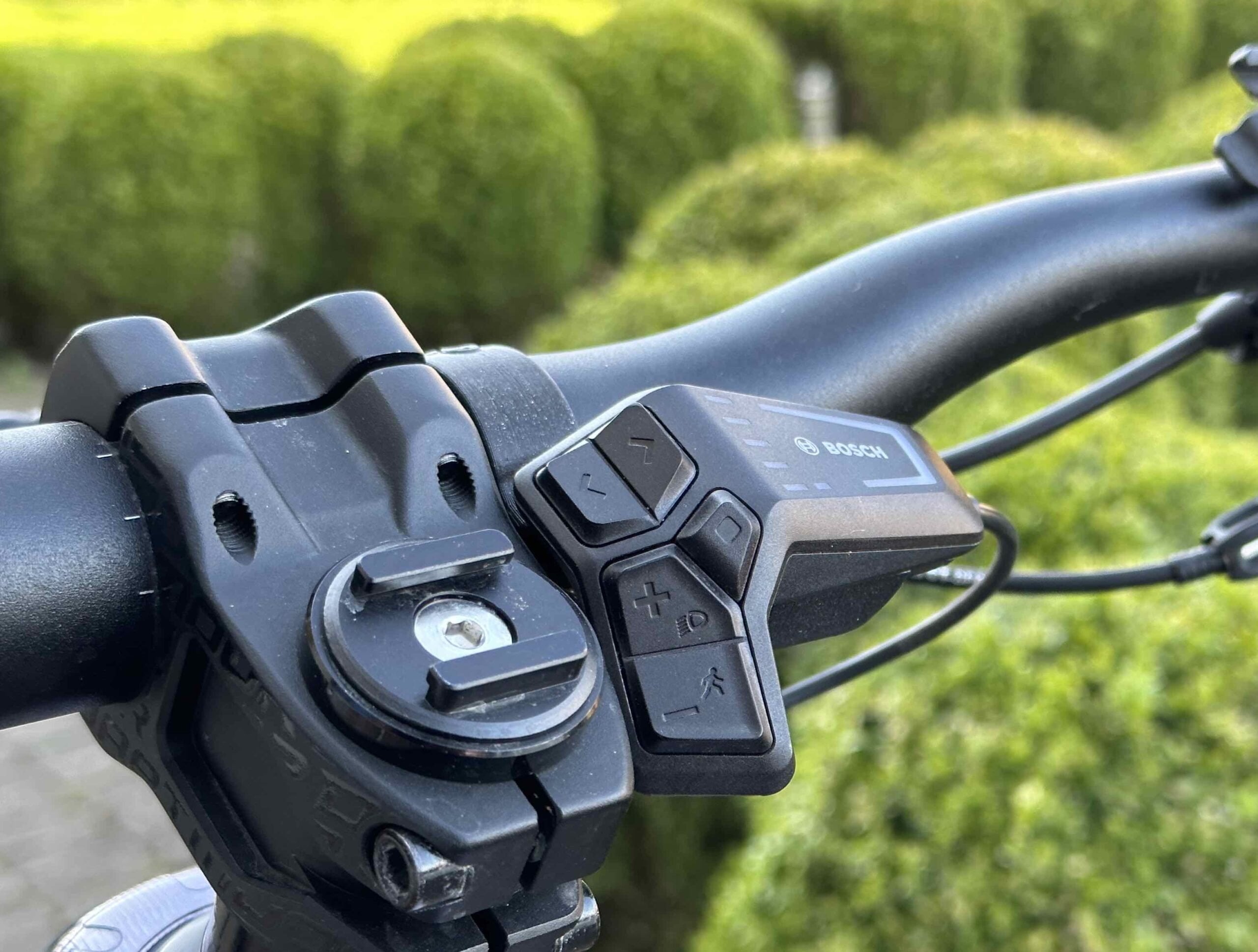
Interesting. I have disconnected the kiox entirely for a cleaner look. The bluetooth is IN the smart led remote and for the 2023 model IN the controller unit within the frame. To use the small remote you either have to retrofit the new controller unit on some nylon/3d printed bracket or find a way to hide the led remote and find an on/off switch solution. Last option is most affordable. Will keep following this one and also read up on the topic on our German friends forums
 
Update: it can be done as i saw there is an on/off switch on the battery which turns bike on and off. I will dril a smal hole in the battery cover exactly above it and look for a rubber extension clicker. Once fit, ill replace the smart controller into the large cavity between head and battery click thing. So then you will have no visible wiring with the small bluetooth mini remote and an auxiliary on/of switch enabling the needed bluetooth.
IMG20230429135159.jpg

On/off

Cavity

IMG20230429140358.jpg
 
Last edited:
This is awesome, if you find the final piece to this puzzle please let me know! Would like to do this as well.
 
I have now seen it done on a new pole, with the smart led remote. So the led remote is placed by the stem to ‘protect’ it. Quite like the idea of it to be honest.
 
I have now seen it done on a new pole, with the smart led remote. So the led remote is placed by the stem to ‘protect’ it. Quite like the idea of it to be honest.
I've the bracket for that on order so it clamps to the right hand side of the stem, nicely out the way. There's a chap on the Pole facebook group 3d prints them (vision velo website). I bought his battery cover previously and the quality is spot on so hoping this should be good too. Paired with a couple of shimano cable tidies to run the cable back under the bar to the headset this should tidy things up nicely.

And the mini remote pairs to and controls the LED controller fine.
(Pic taken from the chaps website).
IMG_6775-1-scaled.jpeg
 
Last edited:
Excuse the possibly silly question but it looks like the mini remote only has 3 buttons. How do you flick left and right like on the LED remote to go through all the screens on the Kiox 300?
 
I don’t think you do it’s purely there to control the modes on the motor.

Interestingly bosch are adamant via email that the mini remote doesn’t work with the led remote
 
Excuse the possibly silly question but it looks like the mini remote only has 3 buttons. How do you flick left and right like on the LED remote to go through all the screens on the Kiox 300?
You dont, the whole idea is to have the cleanest possible cockpit..i removed the kiox already and find the smart remote clunky, ugly and prone to be damaged. Having it out of sight and use the wireless mini remote is the highest possible with the 22 smart system and that is what i like to achieve.
 
You dont, the whole idea is to have the cleanest possible cockpit..i removed the kiox already and find the smart remote clunky, ugly and prone to be damaged. Having it out of sight and use the wireless mini remote is the highest possible with the 22 smart system and that is what i like to achieve.
Each to their own I suppose. Removing the kiox and just having a mini remote is pointless imo.

You lose important factors like battery level, cadence, power output that I like to monitor whilst riding. Along with navigation when riding in new areas.

But if how clean your handlebars look is important to you then it’s a winner.
 
Each to their own I suppose. Removing the kiox and just having a mini remote is pointless imo.

You lose important factors like battery level, cadence, power output that I like to monitor whilst riding. Along with navigation when riding in new areas.

But if how clean your handlebars look is important to you then it’s a winner.
Couldnt care less. Click up if you need more power and down if you need less. Battery level? I have yet to have a ride in which i run it flat.. i think displays dont belong on an mtb...i ride bikepark and freeride etc, dont use it to tour or commute.
 
Ok. Recieved the new bracket for the LED Controller and had a chance to have a play with the mini remote today.

20230505_145550.jpg

This is on the latest firmware update from Bosch (not sure of version but I downloaded it 2 days ago). Not that it should make any difference but I also have the Bosch connect module installed on the system. I tried with and without Kiox display (see below as this is where some changes come up).

Set-up: Mini Remote/LED controller/Connect Module -
The mini remote and LED controller work 100% together. Pair them via the flow app (which did take a couple of attempts) and they work flawlessly. Reconnection when you turn the bike on and off (which is still done via the LED controller) was pretty much instantaneous, no issues at all. I did a quick 5 mile ride and had no problems at all.

The mini remote switches through all the riding modes with the LED lights on the LED remote changing as per normal usage. Holding the down but on the mini remote will trigger walk mode and again it all works as if you were using the LED remote with the LED lights etc working as normal.

For me the mini remote buttons when changing ride mode just feel a lot nicer than the LED controller ones.

Set-up: Mini Remote/LED controller/Connect Module/Kiox Display -
The mini remote does work with the Kiox display but seems to have limited functionality. Change ride mode with the mini remote and the kiox/LED change in sync as per normal usage. As standard you can still get to the 2 screens per ride mode on the Kiox. I think mine is Speed on screen one, then a second page with some separate bits of ride mode data on them. You use a quick press of the select button on the mini remote to reach the second page.

I couldn't use the mini remote to get to any of the other non ride mode info on the Kiox. Most of the buttons on the mini are dual function but long press the select button just takes you to a reset ride mode data selection on the kiox. I couldn't get it to take me to the navigation screen for example. I couldn't find any details in the manual or online as to whether there's anyway to configure the mini remote to operate differently and I couldn't see how to change anything from the way it was operating. However, as I still had the LED controller attached I could still use the left/right buttons to change through to the other kiox screens that way. I don't use the Kiox anymore so not an issue for me but thought I'd test it to see what worked.

On a separate note, the new bracket for the LED controller appears to be well made and is solid once fitted to the bike. No issues with knees being anywhere near the controller when I was out riding and it should be pretty well protected and out the way in it's new location.
 
Ok. Recieved the new bracket for the LED Controller and had a chance to have a play with the mini remote today.

View attachment 113635
This is on the latest firmware update from Bosch (not sure of version but I downloaded it 2 days ago). Not that it should make any difference but I also have the Bosch connect module installed on the system. I tried with and without Kiox display (see below as this is where some changes come up).

Set-up: Mini Remote/LED controller/Connect Module -
The mini remote and LED controller work 100% together. Pair them via the flow app (which did take a couple of attempts) and they work flawlessly. Reconnection when you turn the bike on and off (which is still done via the LED controller) was pretty much instantaneous, no issues at all. I did a quick 5 mile ride and had no problems at all.

The mini remote switches through all the riding modes with the LED lights on the LED remote changing as per normal usage. Holding the down but on the mini remote will trigger walk mode and again it all works as if you were using the LED remote with the LED lights etc working as normal.

For me the mini remote buttons when changing ride mode just feel a lot nicer than the LED controller ones.

Set-up: Mini Remote/LED controller/Connect Module/Kiox Display -
The mini remote does work with the Kiox display but seems to have limited functionality. Change ride mode with the mini remote and the kiox/LED change in sync as per normal usage. As standard you can still get to the 2 screens per ride mode on the Kiox. I think mine is Speed on screen one, then a second page with some separate bits of ride mode data on them. You use a quick press of the select button on the mini remote to reach the second page.

I couldn't use the mini remote to get to any of the other non ride mode info on the Kiox. Most of the buttons on the mini are dual function but long press the select button just takes you to a reset ride mode data selection on the kiox. I couldn't get it to take me to the navigation screen for example. I couldn't find any details in the manual or online as to whether there's anyway to configure the mini remote to operate differently and I couldn't see how to change anything from the way it was operating. However, as I still had the LED controller attached I could still use the left/right buttons to change through to the other kiox screens that way. I don't use the Kiox anymore so not an issue for me but thought I'd test it to see what worked.

On a separate note, the new bracket for the LED controller appears to be well made and is solid once fitted to the bike. No issues with knees being anywhere near the controller when I was out riding and it should be pretty well protected and out the way in it's new location.
Looks smart, do you have a link where to buy the LED mount from?
 
Last edited:
I was thinking in buying the new Bosch System Controller(BRC3100) and cut a hole in the toptube where it is mounted on the new 2023 models and get a mini remote on the handlerbar. That should work and will be eliminating the KIOX 150 and the older remote(Compact remote for KIOX150).
My only concerc will be the compatibility and pairing the 2 new components with the motor.
Do you think the integrity of the carbon frame will be compromised? I dont't really care about the warranty.

 
I was thinking in buying the new Bosch System Controller(BRC3100) and cut a hole in the toptube where it is mounted on the new 2023 models and get a mini remote on the handlerbar. That should work and will be eliminating the KIOX 150 and the older remote(Compact remote for KIOX150).
My only concerc will be the compatibility and pairing the 2 new components with the motor.
Do you think the integrity of the carbon frame will be compromised? I dont't really care about the warranty.

Is there not an option to sit the System Controller in a cradle on the top tube and just use the existing LED controller cableling? (aologies if this is a stupid question)
 
Is there not an option to sit the System Controller in a cradle on the top tube and just use the existing LED controller cableling? (aologies if this is a stupid question)
You will need to 3d print a bracket which you mount with 3m adhesive...wiring will still be external for an cm or 15 coming out of the head
 
Ok. Recieved the new bracket for the LED Controller and had a chance to have a play with the mini remote today.

View attachment 113635
This is on the latest firmware update from Bosch (not sure of version but I downloaded it 2 days ago). Not that it should make any difference but I also have the Bosch connect module installed on the system. I tried with and without Kiox display (see below as this is where some changes come up).

Set-up: Mini Remote/LED controller/Connect Module -
The mini remote and LED controller work 100% together. Pair them via the flow app (which did take a couple of attempts) and they work flawlessly. Reconnection when you turn the bike on and off (which is still done via the LED controller) was pretty much instantaneous, no issues at all. I did a quick 5 mile ride and had no problems at all.

The mini remote switches through all the riding modes with the LED lights on the LED remote changing as per normal usage. Holding the down but on the mini remote will trigger walk mode and again it all works as if you were using the LED remote with the LED lights etc working as normal.

For me the mini remote buttons when changing ride mode just feel a lot nicer than the LED controller ones.

Set-up: Mini Remote/LED controller/Connect Module/Kiox Display -
The mini remote does work with the Kiox display but seems to have limited functionality. Change ride mode with the mini remote and the kiox/LED change in sync as per normal usage. As standard you can still get to the 2 screens per ride mode on the Kiox. I think mine is Speed on screen one, then a second page with some separate bits of ride mode data on them. You use a quick press of the select button on the mini remote to reach the second page.

I couldn't use the mini remote to get to any of the other non ride mode info on the Kiox. Most of the buttons on the mini are dual function but long press the select button just takes you to a reset ride mode data selection on the kiox. I couldn't get it to take me to the navigation screen for example. I couldn't find any details in the manual or online as to whether there's anyway to configure the mini remote to operate differently and I couldn't see how to change anything from the way it was operating. However, as I still had the LED controller attached I could still use the left/right buttons to change through to the other kiox screens that way. I don't use the Kiox anymore so not an issue for me but thought I'd test it to see what worked.

On a separate note, the new bracket for the LED controller appears to be well made and is solid once fitted to the bike. No issues with knees being anywhere near the controller when I was out riding and it should be pretty well protected and out the way in it's new location.
Question , I have a WHYTE 2023 E160RS with the LED controller , I would like to do the same setup , I dont want a Kiox , so if I understand I have to have 3 additional components , the mini remote , connect module and the mounting bracket to reposition the led remote per your set up , Is that correct , where did you fit the connect module ?.
Thanks,
 
Question , I have a WHYTE 2023 E160RS with the LED controller , I would like to do the same setup , I dont want a Kiox , so if I understand I have to have 3 additional components , the mini remote , connect module and the mounting bracket to reposition the led remote per your set up , Is that correct , where did you fit the connect module ?.
Thanks,
Hi. No need for the connect module. Was just listing the set up I have which includes the security connect module. You just need the mounting bracket (check out vision velo website) and the mini remote, then you use the flow app to connect the mini remote to the LED Controller. Effectively all you're doing is moving the controller inboard and adding a bluetooth connected device via the flow app.
 
Hi. No need for the connect module. Was just listing the set up I have which includes the security connect module. You just need the mounting bracket (check out vision velo website) and the mini remote, then you use the flow app to connect the mini remote to the LED Controller. Effectively all you're doing is moving the controller inboard and adding a bluetooth connected device via the flow app.
Great , that is what I am gonna do, thanks for confirming
 
Subscribing to this thread because someone at some point will eventually come up with a better solution. The actual button part of the LED remote isn't that bad, it's mainly the whole section with the lights on that makes it so big, maybe we can just hacksaw that section off 🤣

Polish_20230810_070435797.jpg
 
Last edited:
Well Bosch kind of did that to create the Purion 200

bosch-purion-200-control-unit_780x520.jpg

I think this is what they should have made from the beginning.
 
Well Bosch kind of did that to create the Purion 200

View attachment 122192
I assume you can run this without the kiox300 then?

The only thing that puts me off tidying up the handle bars is that I carry the smartphone grip with me in case I need to charge my phone. Is there any way of hooking a USB up somewhere else?
 
I assume you can run this without the kiox300 then?

The only thing that puts me off tidying up the handle bars is that I carry the smartphone grip with me in case I need to charge my phone. Is there any way of hooking a USB up somewhere else?
I'm not even sure the Purion remote can just be added to the Kiox 300 system or Flow app at all.
 
Keep reading
    Browse all

    Similar Threads

    Community Stats

    Since 2018
    676K
    Messages
    42,030
    Members
    Join 30,000+ Riders, it's free!
    Back
    Top