Yeah mate, you are right - realized it the hard way! Japanese did it once again, confusing customer with overcomplicated naming convention (look at Sony headphones naming)
I was NOT comparing apple to apple as my friend has YT Decoy with DU-EP800 (the latest FW 4.2.0) and I have Orbea Rise LT with DU-EP801 RS (the latest FW 4.4.2)
The bottom line now - I did downgrade DU-EP800 to 4.0.2, used E-Tuning to fix the Destination (Type 1 - EU) and Wheel Circumference (2300 - 29"), saved stats, connected SM-PCE2 and:
- Opened E-Tube Project Normal v4, saw all good
- Opened STUnlocker Win11, read values, all good
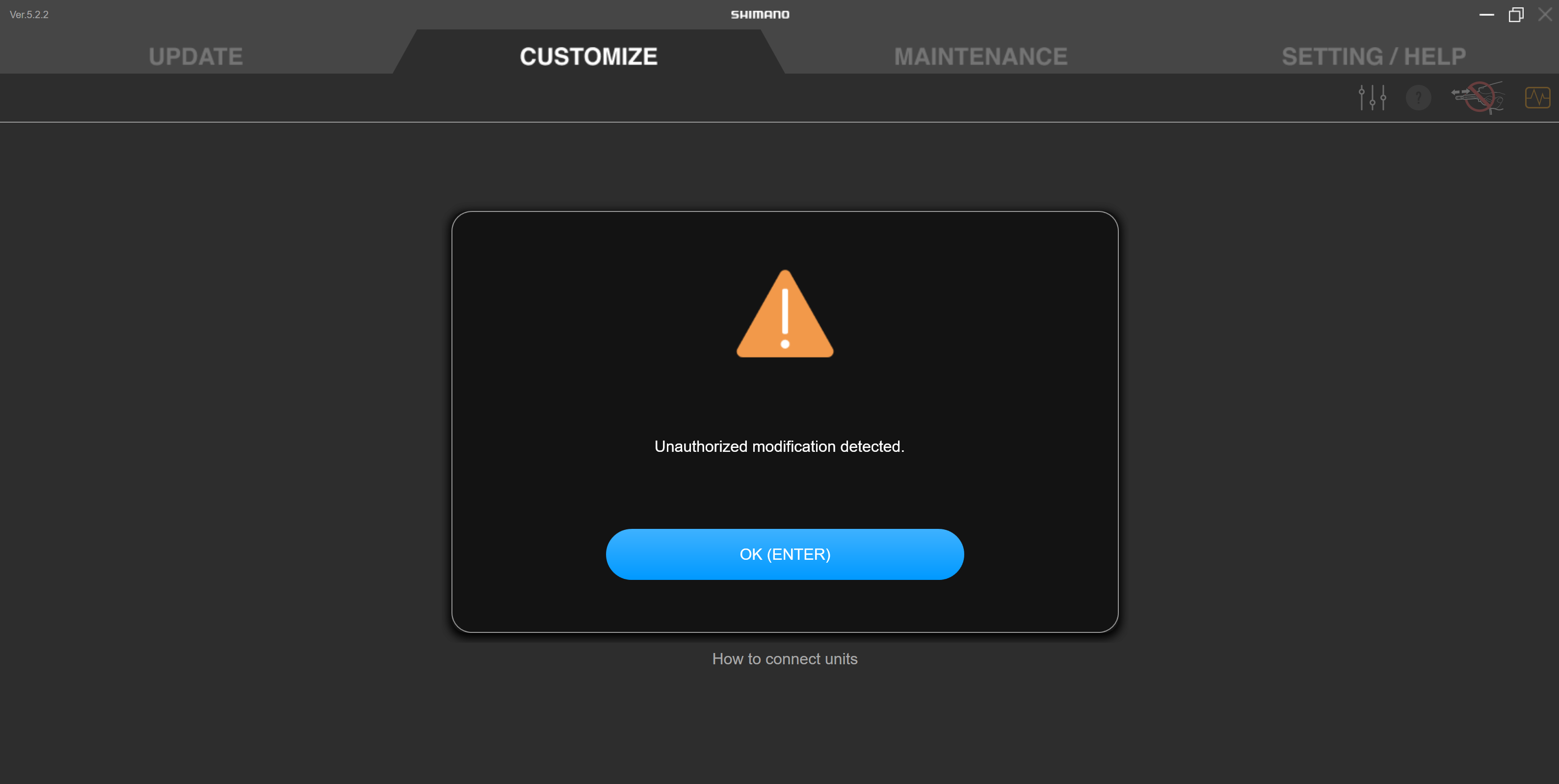
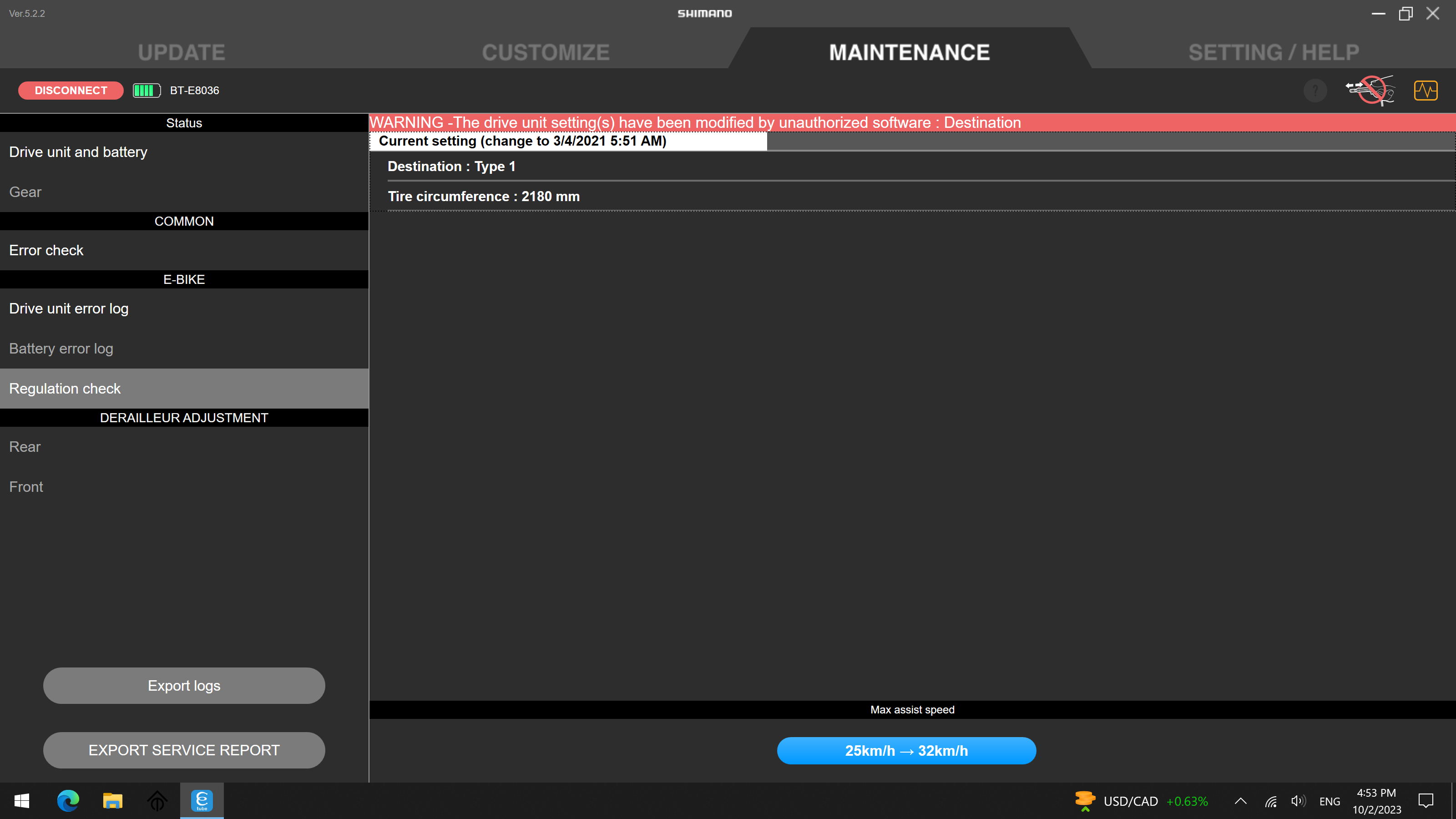
- Opened E-Tube Project Professional v5 and saw "UNAUTHORIZED MODIFICATIONS DETECTED - Destination (Type 1), Circumference (2359)"
- Opened STUnlocker Win11, read values, all as expected (Destination Type 1, Circumference 2300)
I got confused, used E-Tuning again and set Destination Type 2 (US - 32kmph) and set Wheel Circumference 2359, saved and:
- Opened STUnlocker Win11, read values, all good (US + 2359)
- Opened E-Tube Project Professional v5 and saw "UNAUTHORIZED MODIFICATIONS DETECTED - Destination (Type 1), Circumference (2359)"
So we decided to forget about E-Tube v5, set things to user's liking (32kmph + 29" circumference) via E-Tuning, upgrade DU-EP800 to 4.2 via E-Tube Project v4 and checked it is all configurable via E-Tube iPhone app.
The hell is wrong with E-Tube Project Pro v5?
I have no idea, but the job for YT Decoy is done ...
Thanks for clarification - yes, please always compare apples to apples and don´t mix drive unit types in the "Shimano universe"...

And "yes", it is a shame that Shimano has named the older DU-EP800 and the newer DU-EP801 on the right motor cover with the "EP8" signature which caused a lot of confusion (even on many bike manufacturers), because these 2 drive unit types have next to nothing in common and are hugely different!
Also there is nothing wrong with E-Tube-Project-Professional version 5.x.x.
However, you most probably did not read the red warning correctly and in depth, because the exact wording of this red warning will give you a clear hint to the real reason why this red warning is shown!
So please post the red warning here as a screenshot and I will tell you what you have to change to get rid of that red warning. Most probably the red warning is
NOT due to the destination setting and
NOT due to the wheel circumference setting but due to some motor characteristic settings (e.g. individual torque values which are not accepted by Shimano).
It is very common that you e.g. will get a red warning like this with the wording "
Drive unit output feature" which clearly indicates the situation described above:
So, take your time and always read this red warning with some patience and then you will exactly know what you have to do to get rid of this red warning message.
Also you always should create a so called "service report" with the Windows based E-Tube-Project-Professional software (use the lower left button in the "MAINTENANCE" view) and then check this PDF document for "unknown" values. You also can post this service report here and I will tell you what (still) is "wrong" with this bike.
See e.g. here for some settings with "
Unknown" (individually set via "non - Shimano software") torque values for Eco and Boost mode in "profile 2" in the service report which will cause the above red warning:
So, just use the E-Tube-Project software (Bluetooth based
Cyclist app or Windows based
Professional program) and set these values back to "well-known-Shimano" default values and you will not get this red warning anymore.