Ridedash EVO on a 2022 Giant Trance/Reign E+?

LielyF

Member
Joined
Apr 13, 2022
Messages
16
Reaction score
18
Location
Auckland, New Zealand
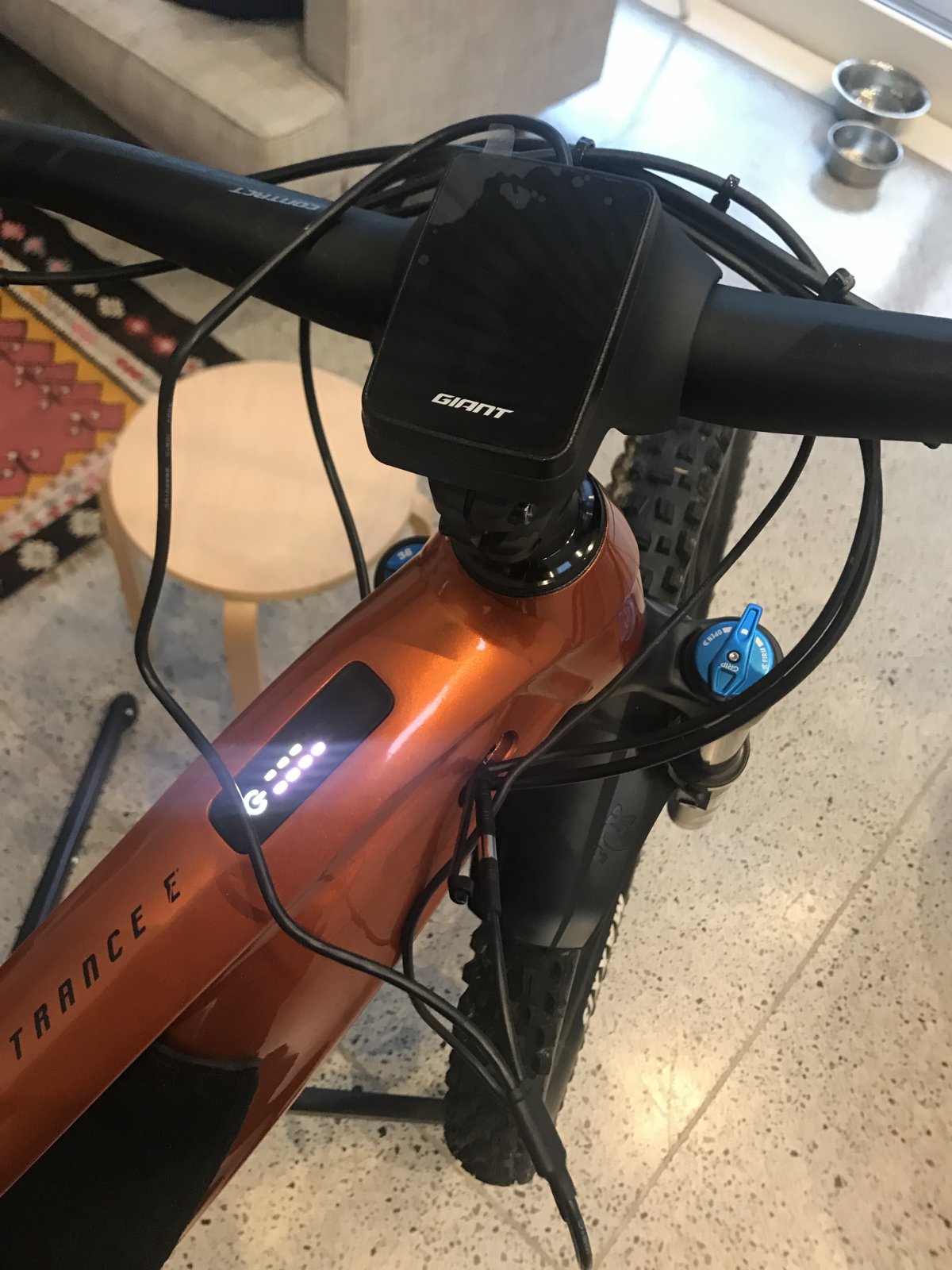
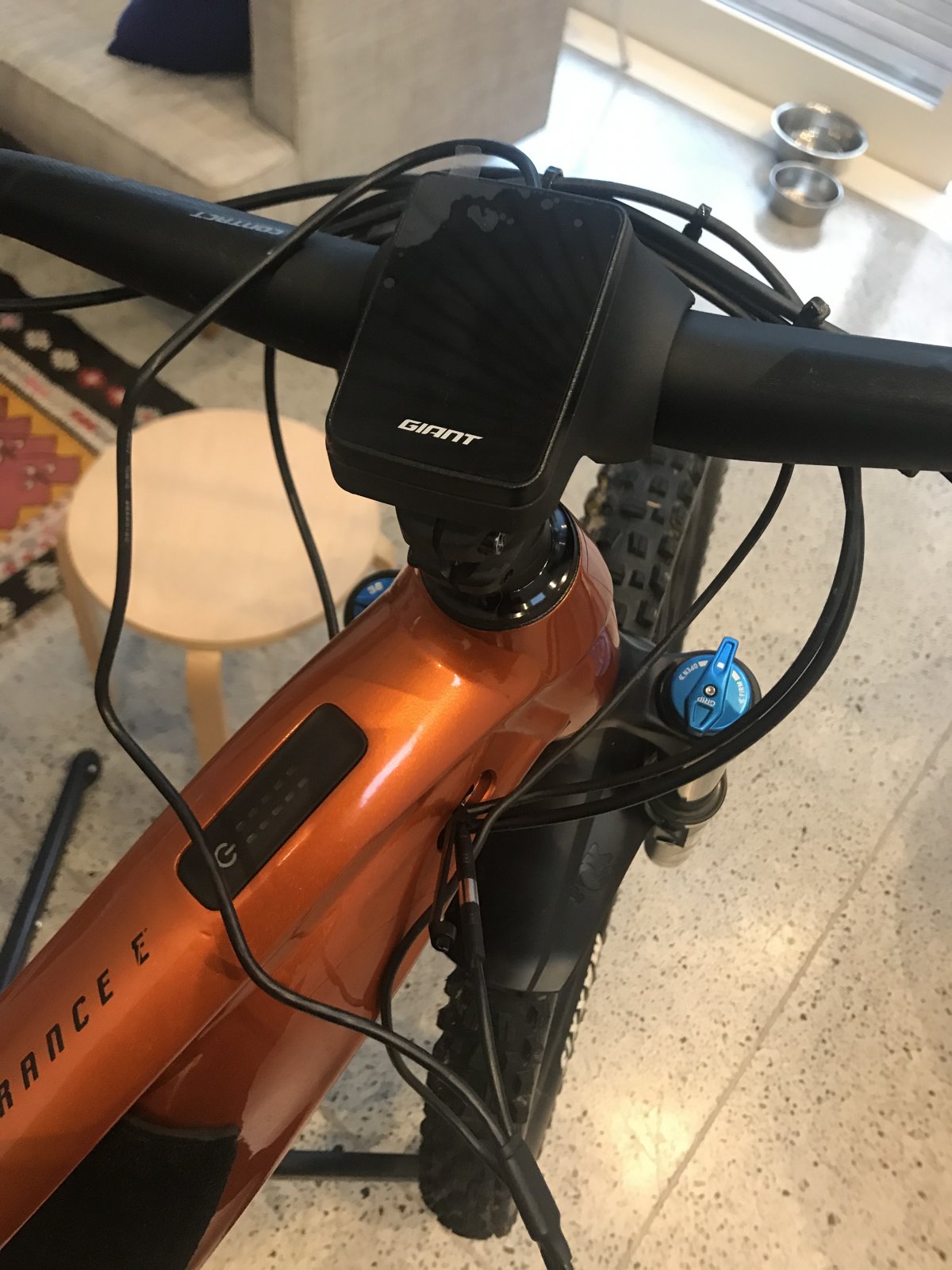
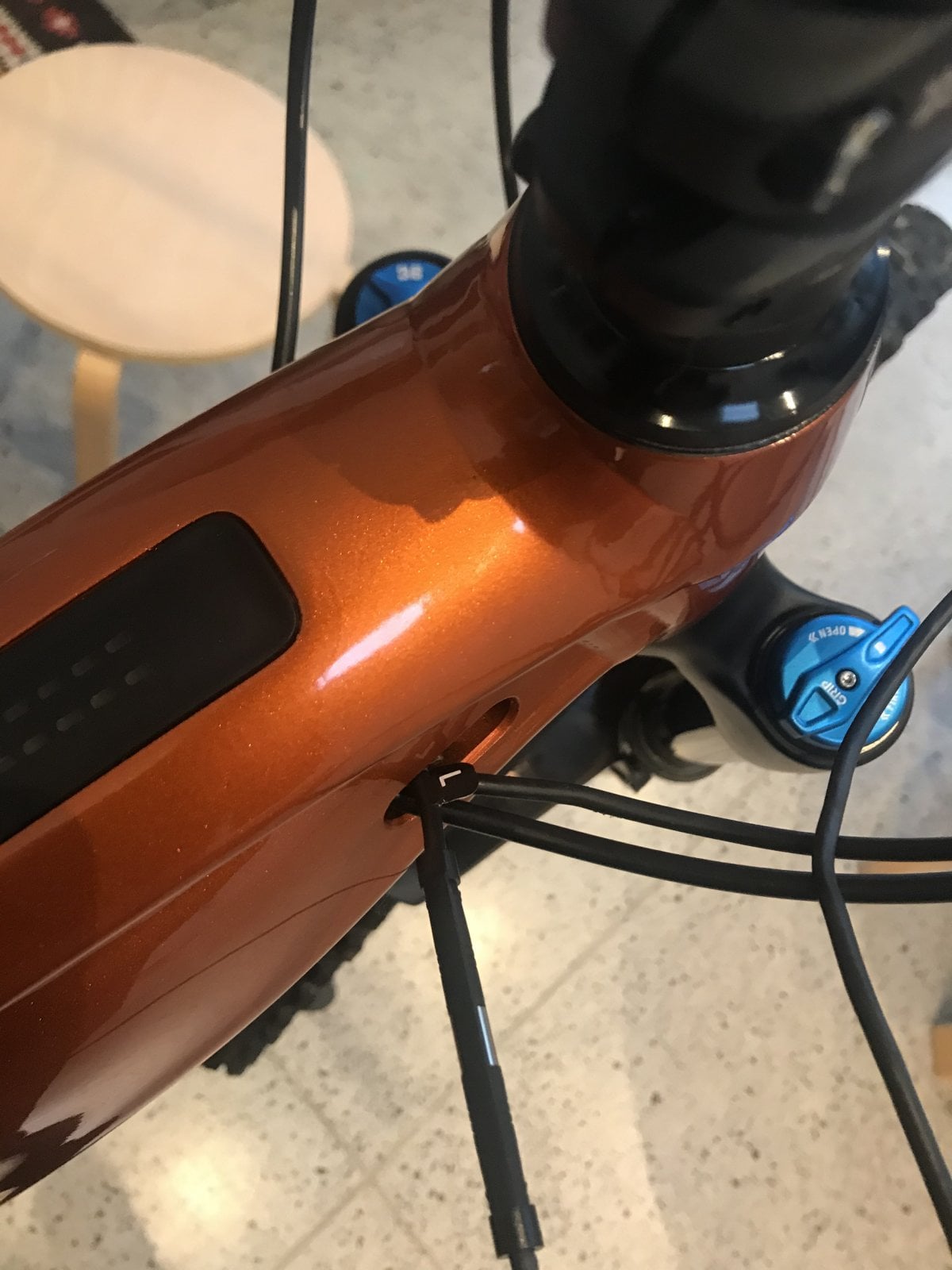
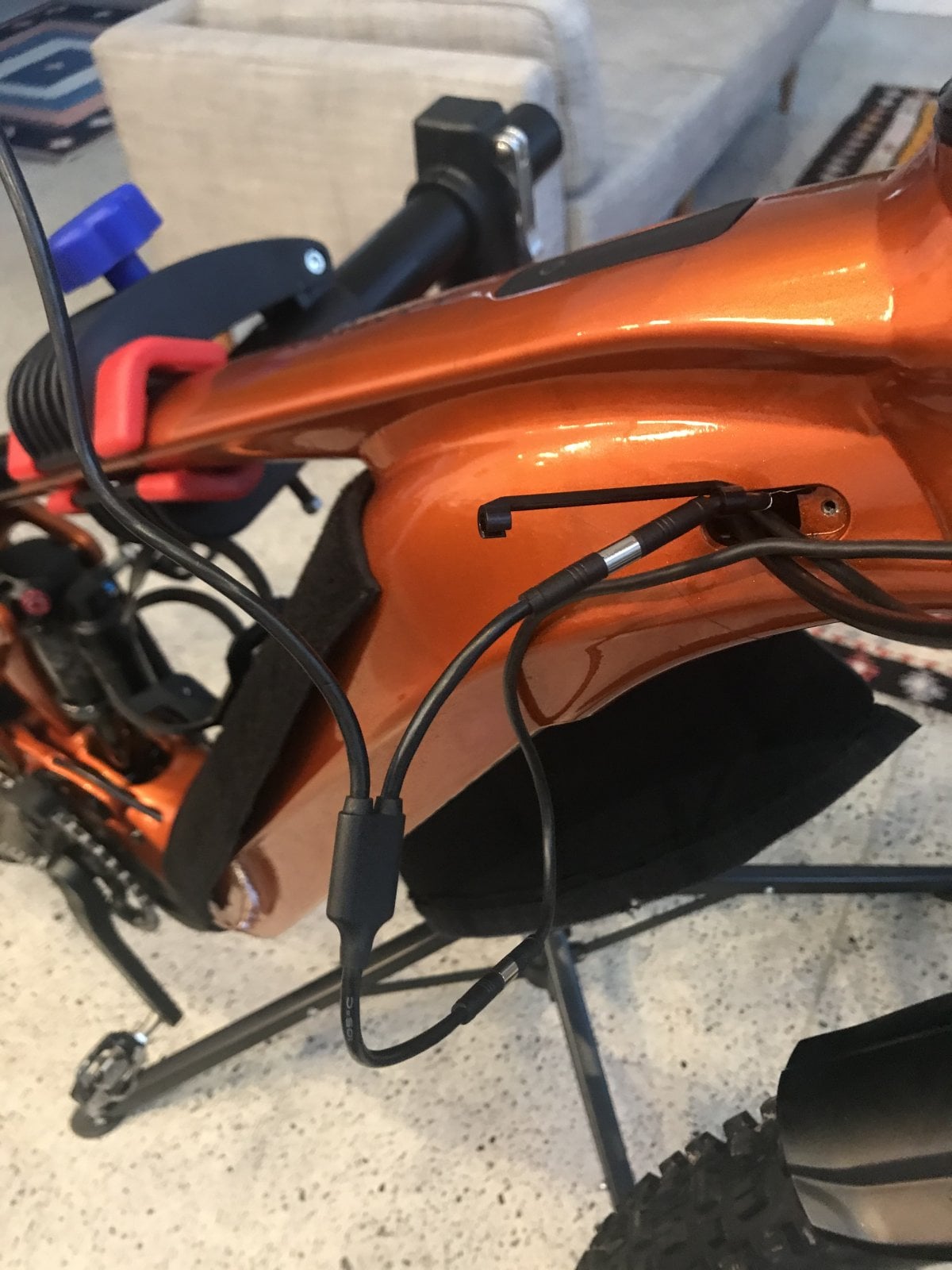
Has anyone installed a Ridedash EVO on a 2022 Giant Trance/Reign E+? Typically it comes with no instructions. My understanding is that it 'T's into the cable for the RideControl Ergo 3 (the 3 button controller). I was able to easily find that connector but when I plugged the Ridedash in it doesn't do anything. The buttons still work though so it's passing a signal through. Just nothing on screen. The connector had an 'L' label on it. I can't see any other connectors up there and don't want to go poking around too much in case I cause something else to come loose. SmartGateway is the latest version. Anyone done this install themselves or maybe its a 'dealer only' thing?
IMG-8573.jpg
IMG-8574.jpg


IMG-8572.jpg


IMG-8570.jpg


IMG-8571.jpg
 
⚡ EMTB Pro Go Pro — exclusive discounts & ad-free Peaty's 25% off & more · Ad-free browsing · Pro badge See the deals →
My local giant store says it nedds a special cable which they told me is out of stock that needs fitting to the motor i think he said for it to work
 
I fitted it to a 2021 Fathom E2 Pro and it worked without any extra cable. The only thing I'm not sure about is if I updated any firmware through the app. 🤔

Screenshot_20220320-171435.png
 
Last edited:
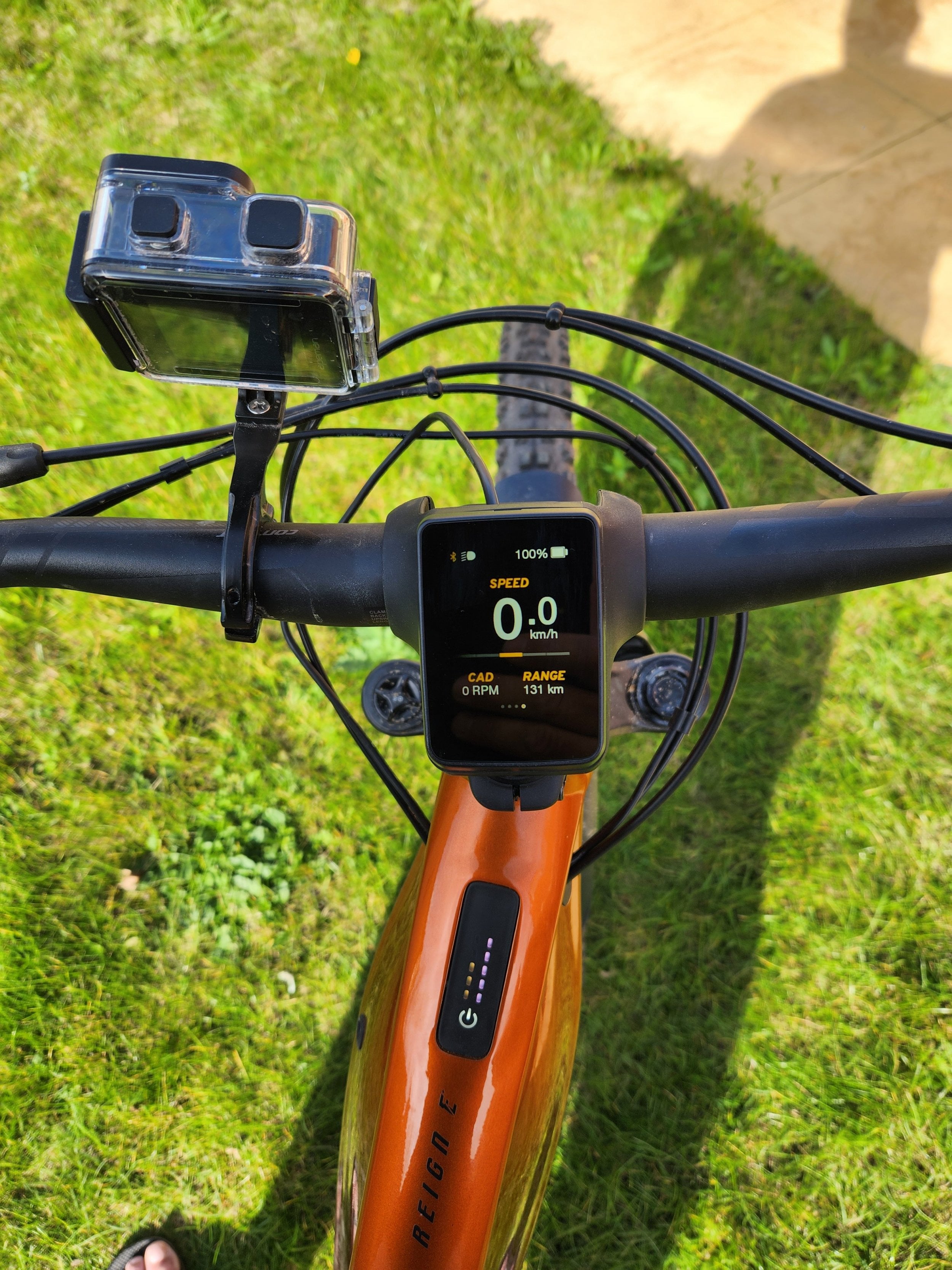
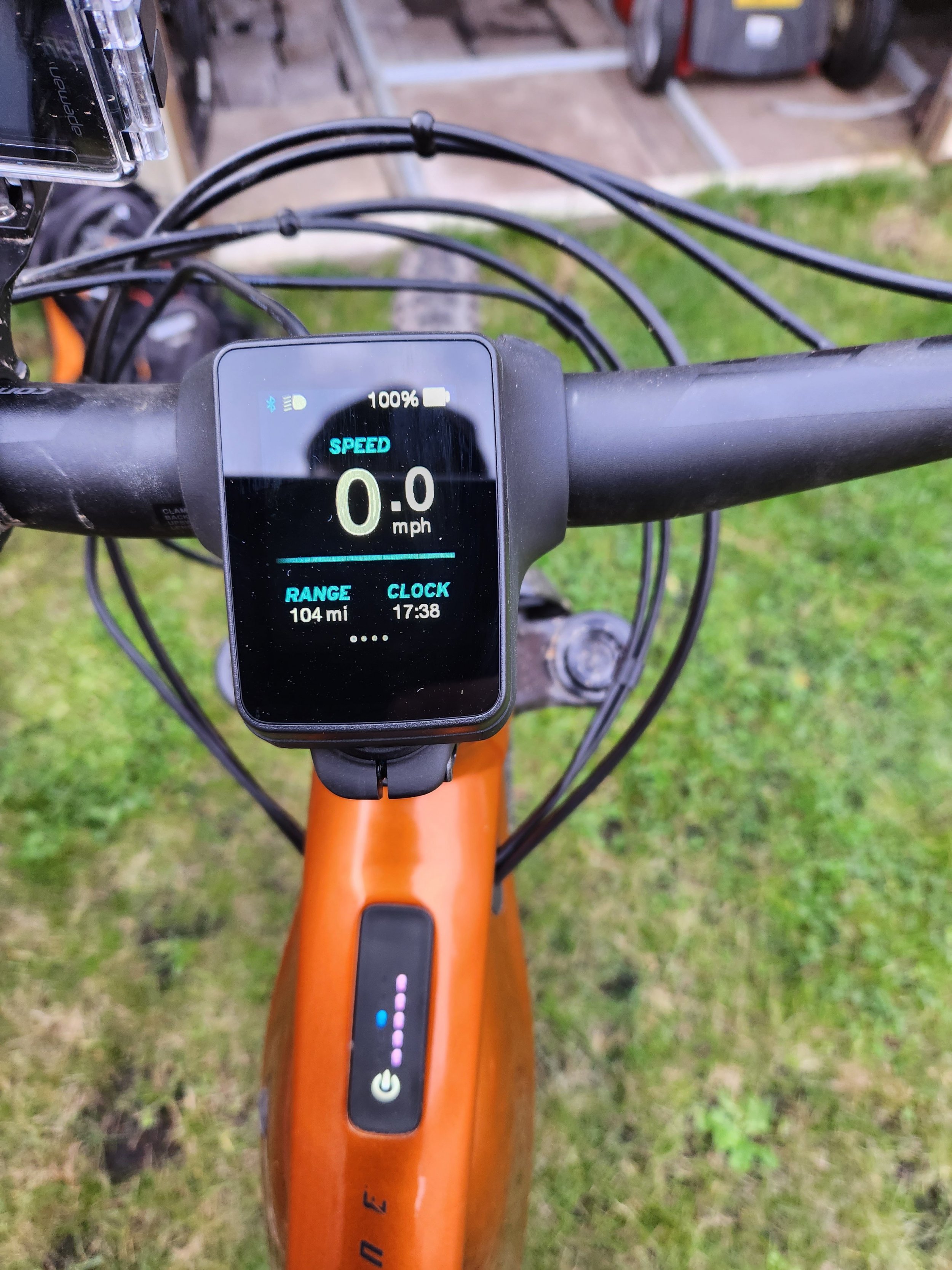
Just a bit of an update on this one. My LBS was able to install the RideDash EVO. First one they had ever done and it required a second controller. To be honest it's not a very useful bit of get, tells the speed/cadence/odometer but annoying it doesn't even tell the time. I also don't seem to be able reset the trip odometer which is also not great. Anyway, it does work.
ridedash.jpg
 
When you say you can't reset the trip/odo, do you mean when you press and hold both assistance level buttons simultaneously for a couple of seconds as per instructions it doesn't work?
 
When you say you can't reset the trip/odo, do you mean when you press and hold both assistance level buttons simultaneously for a couple of seconds as per instructions it doesn't work?

Thanks Jackware - that did the trick - I was thinking I could do it with the new controller on the right hand side but used the left controller and it worked as you said. I didn't receive any documentation/instructions with the RideDash Evo - do you have any as there may be some other features I can uncover?
 
You tube video shows different controller that has battery display in it. So has battery power at the connecter. Need to get to battery display connecter in frame for it to work i believe. Im in same predicament and will confirm when sorted it.
 
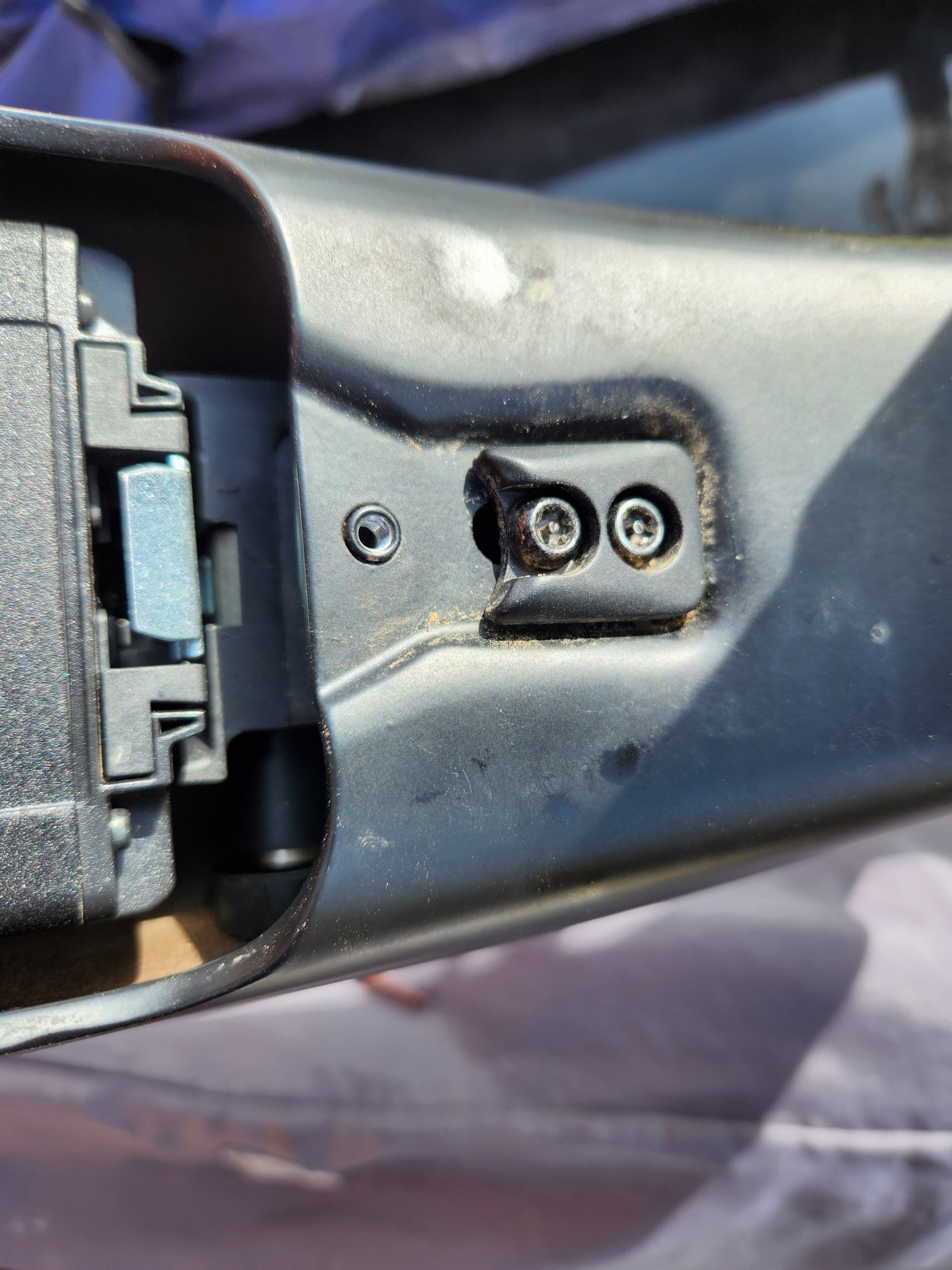
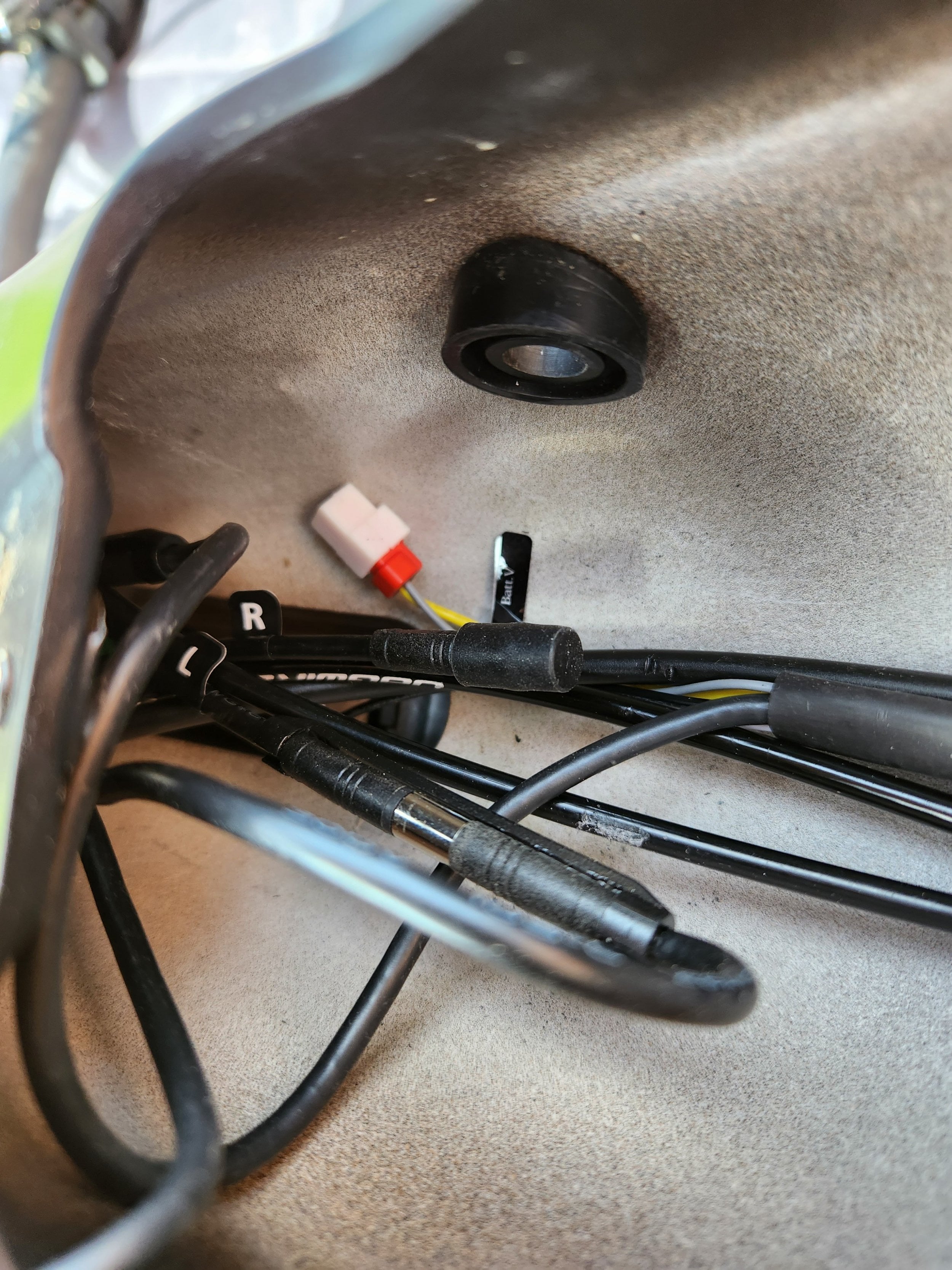
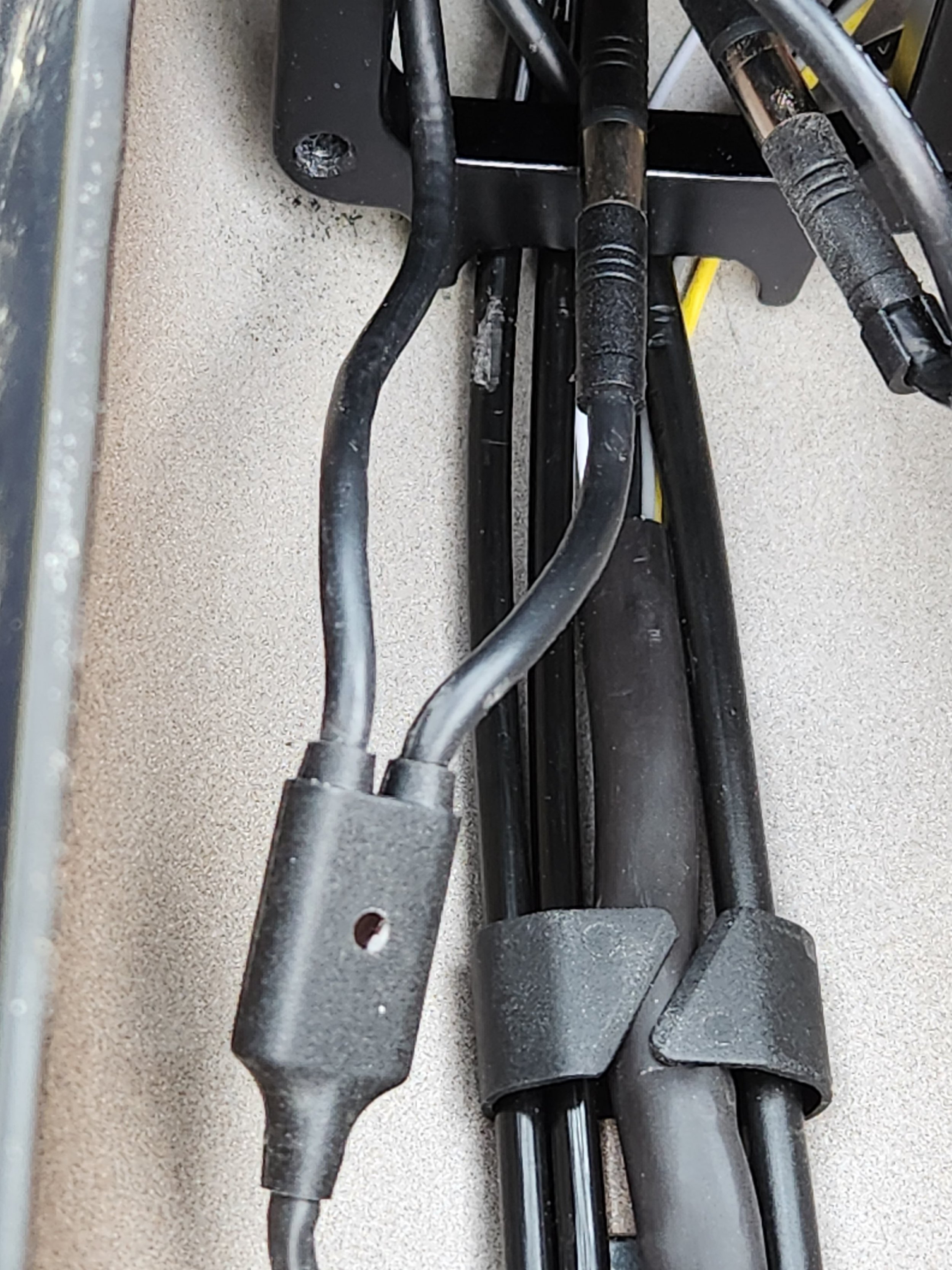
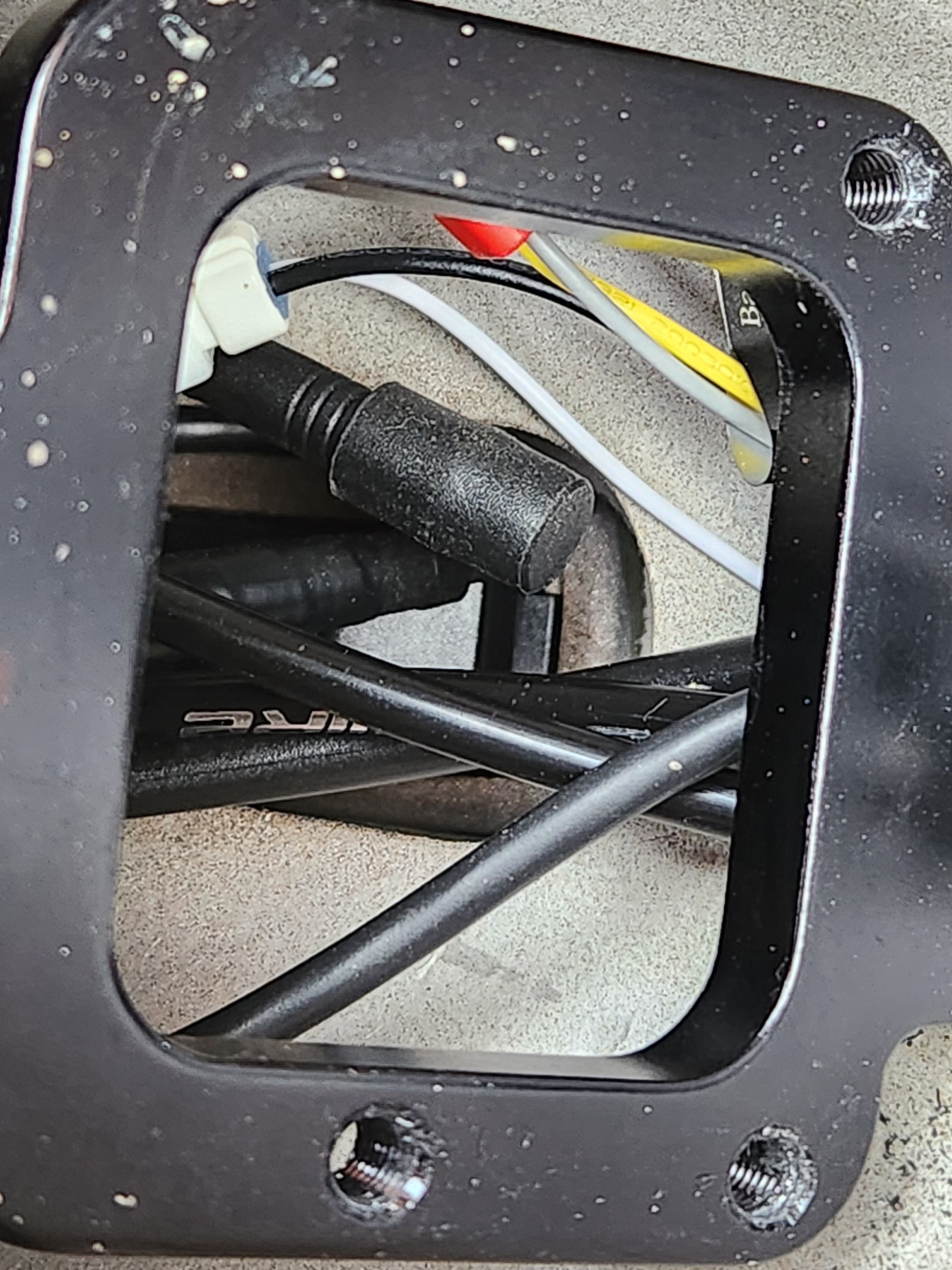
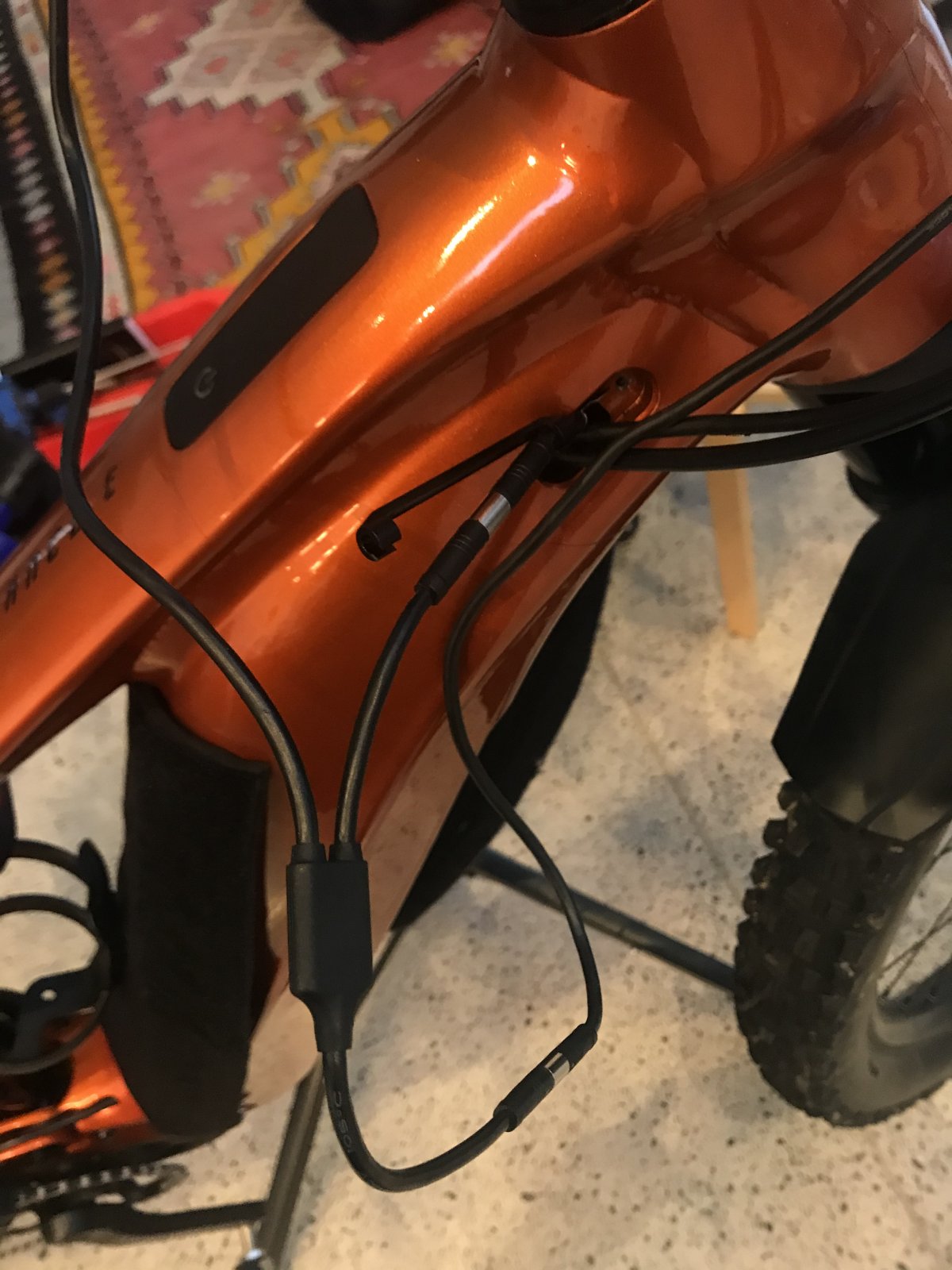
Mine is sorted. Remove battery. Then turn upside down. Using a t25 security bit remove the two t25s for the battery lock. In there, there are two wires that t labeled l and r. L will be used for left hand ergo3. R is if you want one on right. Both of these go to power display. Also on power display theres another wire that connects and goes back to the battery base unit. The join is right in the frame. The display connecters sits in between that connecter. It was v fiddley. Recommend some right angle long nose pliers to hold connecter still. 👍there are two 2 pin block connecters aswell. These will be for lights

20231008_142154.jpg 20231008_140827.jpg 20231008_131529.jpg 20231008_093822.jpg 20231008_093407.jpg
 
Last edited:
No extra lead required. Fit between the power switch display and battery base.
They lied to you unfortunately. Like i put in the above post, unbolt the battery lock using a t25 security torque. Then look right up the frame tube. Youll see the top end of the switch/ power level gauge there are two wires coming out of it. One splits in 2 (ergo 3 left and right switches) the other has a connection part way along. Ride dash display goes between that connection. ( wire comes back down frame to battery base/ motor) its the power cable to the switch.

On another note. If you want the display in mph. Switch bike on. Open giant app on phone. Find the bike. Go to bike settings and then ergo 3 setting. Customise one of your buttons to 'information' and save the setting. ( i did walk assist/centre on ergo 3) once saved press and hold that button for 5seconds. Release once changed and dont touch for 10 second to save it. Then just recustomise the button back to walk assist if you want to.

20231010_173844.jpg
 
They lied to you unfortunately. Like i put in the above post, unbolt the battery lock using a t25 security torque. Then look right up the frame tube. Youll see the top end of the switch/ power level gauge there are two wires coming out of it. One splits in 2 (ergo 3 left and right switches) the other has a connection part way along. Ride dash display goes between that connection. ( wire comes back down frame to battery base/ motor) its the power cable to the switch.

On another note. If you want the display in mph. Switch bike on. Open giant app on phone. Find the bike. Go to bike settings and then ergo 3 setting. Customise one of your buttons to 'information' and save the setting. ( i did walk assist/centre on ergo 3) once saved press and hold that button for 5seconds. Release once changed and dont touch for 10 second to save it. Then just recustomise the button back to walk assist if you want to.

View attachment 126498
Thanks for the guide I fitted mine today and it worked perfect.

Donald
 
Keep reading
    Browse all

    Similar Threads

    Community Stats

    Since 2018
    669K
    Messages
    41,015
    Members
    Join 30,000+ Riders, it's free!
    Back
    Top