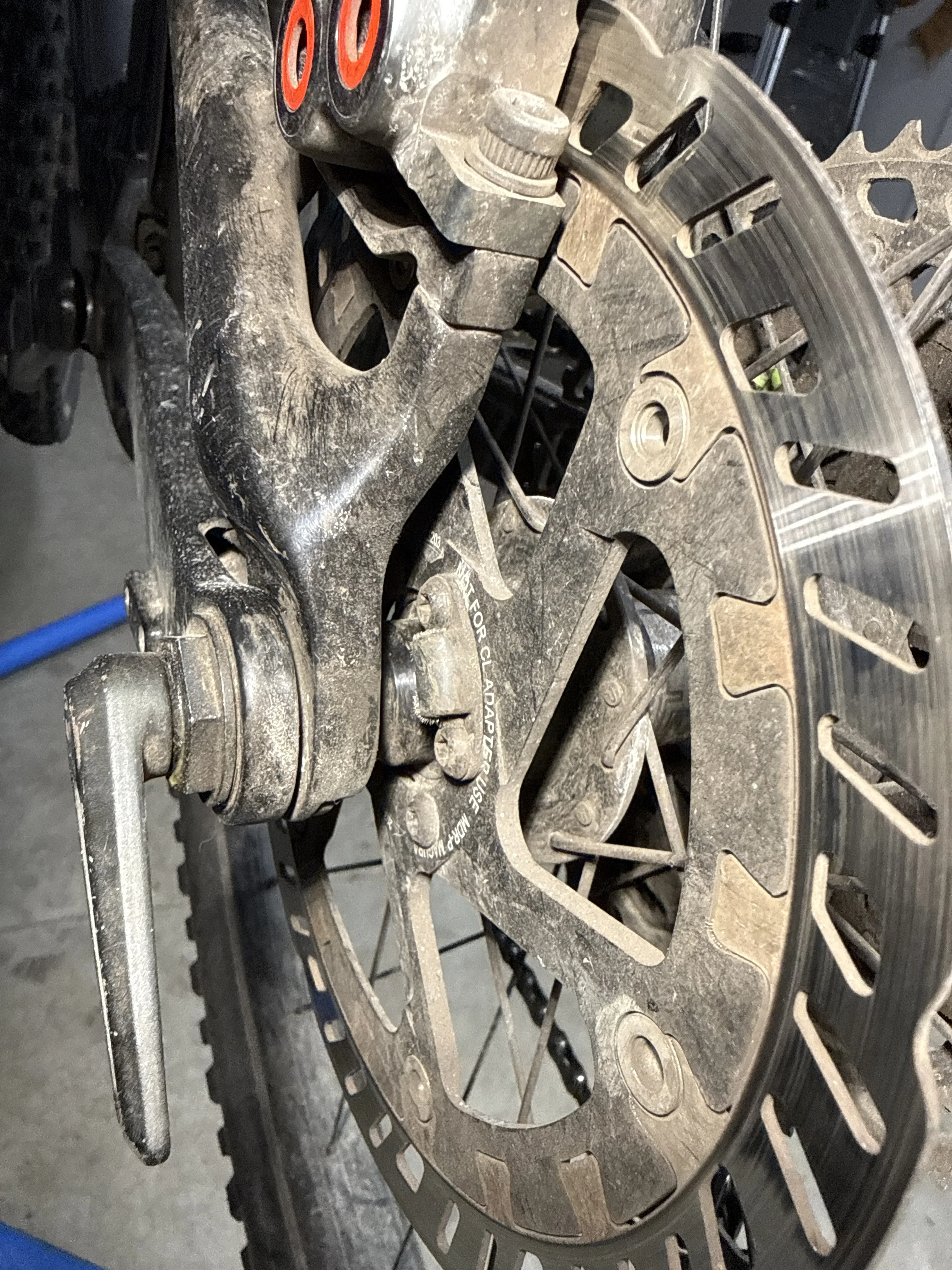
Good news: your Rise's speed magnet lives on the
rotor bolts, not the rotor itself, so a Magura MDR-C swap is very doable. On the EP801-era Rise, Shimano reads speed off a magnet mounted to the 6-bolt rotor carrier — so the fix is about how you carry that magnet across to the new rotor, plus sorting the adapter.
Here's how to work around it:
1. Get the right adapter first. Going from a 180mm to a 203mm rotor at the rear needs a
+23mm post-mount adapter (Shimano rears jump in that increment). Don't guess this — check what caliper mount your frame uses. Worth noting Orbea's own LT trims run 180mm rear as stock, so 203mm rear is a deliberate uprate; make sure your frame/caliper clears it.
2. Sort the magnet. Two clean routes:
•
Screw-on magnet type — the plate-style magnet that sits under two of the six rotor bolts. This is the Giant/Bosch approach but the same principle applies: it works with
any 6-bolt rotor. As long as your Shimano sensor magnet is this bolt-mounted style, you just transfer it onto the Magura MDR-C's 6-bolt carrier. The MDR-C is 6-bolt, so you're fine there.
•
Magura rotor with integrated magnet — Magura offer rotors with a
built-in magnet specifically for relocating a speed sensor to the rotor. If your current magnet is the awkward crimped-to-the-Shimano-rotor type, this is the tidiest solution: buy the Magura variant with the magnet already in it and the sensor picks it up with no bodging.
3. Sensor alignment. Whichever route, the magnet has to pass close to the fixed sensor pickup. Rotor diameter changes where the magnet sits radially, so after fitting,
check the magnet clears and passes the sensor at the right distance — if the speedo reads nothing or drops out, that gap is your first suspect.
One honest caveat: I can't confirm from here exactly which magnet style your specific H15 shipped with (screw-on plate vs rotor-integrated). Pop the rear wheel out, have a look at how that magnet is mounted, and that tells you instantly which of the two routes above you're on.
Good news: your Rise's speed magnet lives on the rotor bolts, not the rotor itself, so a Magura MDR-C swap is very doable. On the EP801-era Rise, Shimano reads speed off a magnet mounted to the 6-bolt rotor carrier — so the fix is about how you carry that magnet across to the new rotor, plus sorting the adapter.
Here's how to work around it:
1. Get the right adapter first. Going from a 180mm to a 203mm rotor at the rear needs a +23mm post-mount adapter (Shimano rears jump in that increment). Don't guess this — check what caliper mount your frame uses. Worth noting Orbea's own LT trims run 180mm rear as stock, so 203mm rear is a deliberate uprate; make sure your frame/caliper clears it.
2. Sort the magnet. Two clean routes:
• Screw-on magnet type — the plate-style magnet that sits under two of the six rotor bolts. This is the Giant/Bosch approach but the same principle applies: it works with any 6-bolt rotor. As long as your Shimano sensor magnet is this bolt-mounted style, you just transfer it onto the Magura MDR-C's 6-bolt carrier. The MDR-C is 6-bolt, so you're fine there.
• Magura rotor with integrated magnet — Magura offer rotors with a built-in magnet specifically for relocating a speed sensor to the rotor. If your current magnet is the awkward crimped-to-the-Shimano-rotor type, this is the tidiest solution: buy the Magura variant with the magnet already in it and the sensor picks it up with no bodging.
3. Sensor alignment. Whichever route, the magnet has to pass close to the fixed sensor pickup. Rotor diameter changes where the magnet sits radially, so after fitting, check the magnet clears and passes the sensor at the right distance — if the speedo reads nothing or drops out, that gap is your first suspect.
One honest caveat: I can't confirm from here exactly which magnet style your specific H15 shipped with (screw-on plate vs rotor-integrated). Pop the rear wheel out, have a look at how that magnet is mounted, and that tells you instantly which of the two routes above you're on.
If you can tell me what the magnet looks like — bolted-on plate or fixed to the rotor — I'll point you at the exact part.