

Those of you who’ve read some of my posts will know my story. I bought a Trek Rail 9.9 at the end of January and had it for 2 weeks when the Levo SL was announced.
I used my 30 day satisfaction guarantee to swap it for the Levo SL expert - as I wanted a ‘little bit’ of assistance rather than loads!
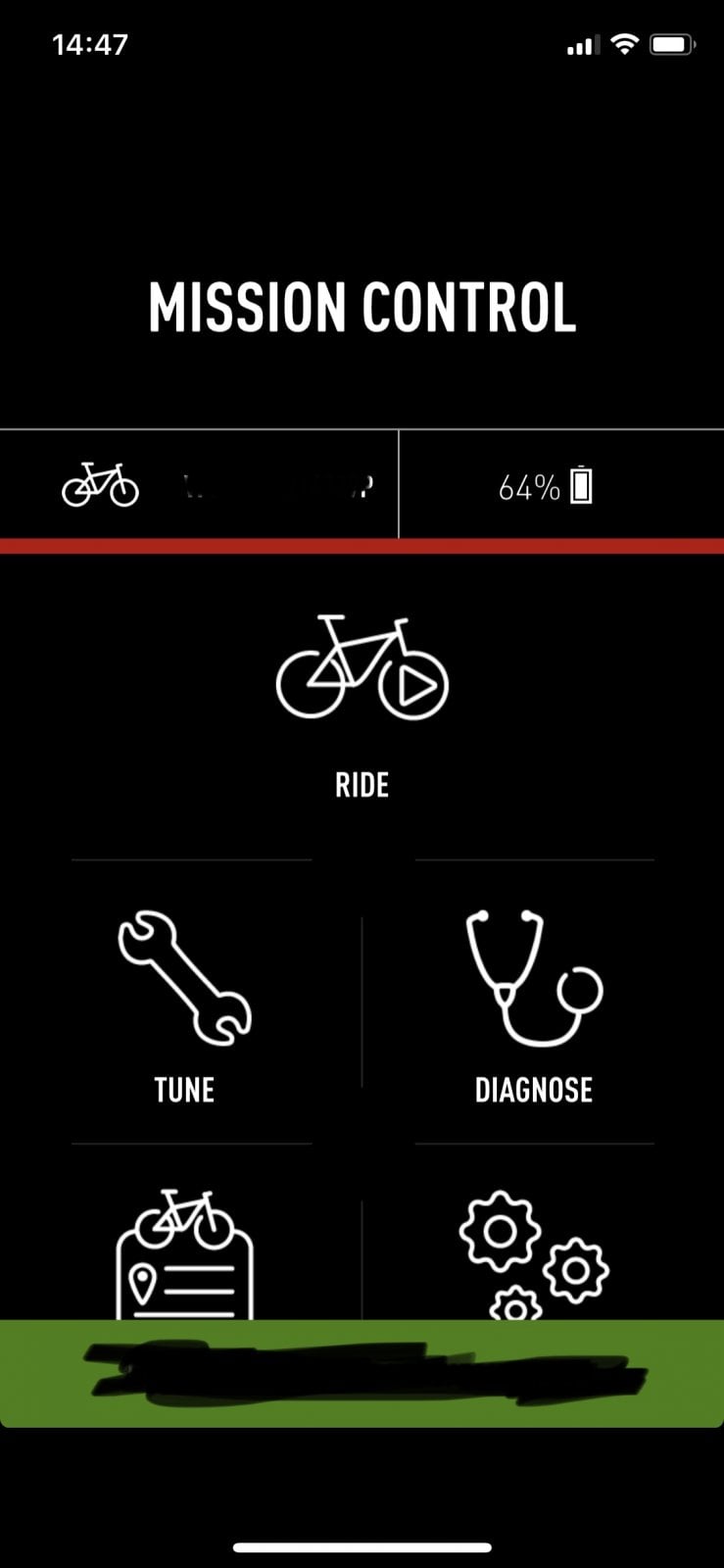
Since then, I’ve been changing my Mission Control settings every few rides trying to find the optimum setting for me.
Up until this weekend I’ve been running Eco @ 15/25, Trail @ 30/80 and Turbo @ 100/100 (mine is still on a Firmware where the middle setting with 2 lights is Trail and not Sport!). I ride in Trail 99% of the time.
Eco is for emergencies, when the battery isn’t going to last long enough... and Turbo is for if I need extra assistance on some
Technical climbs. I want to ditch the handlebar remote... so having the perfect setting would remove the need for it.
I read quite recently that Eco / Trail / Turbo all have different characteristics even if they are set the same... so I thought I’d test this out for myself.
I haven’t been on my bike much this month, as I pulled a muscle in my back playing golf a few weeks ago. It’s now feeling much better, but still not 100%... so I decided now was a good time for this experiment.
The route was at Pitfichie in Aberdeenshire - about 25 miles from my house. It’s exactly 10 miles and just under 500m elevation - approx 7 of them are fire road (with lots of hills), 1.5 miles of technical climbing, and 1.5 miles of single track downhill.
On my Stumpjumper, this takes me about 1hr and 20 mins, and on the Trek Rail it took 45 mins.
Yesterday, I set Eco to 35/80 and did this route. I started with my battery at 100%
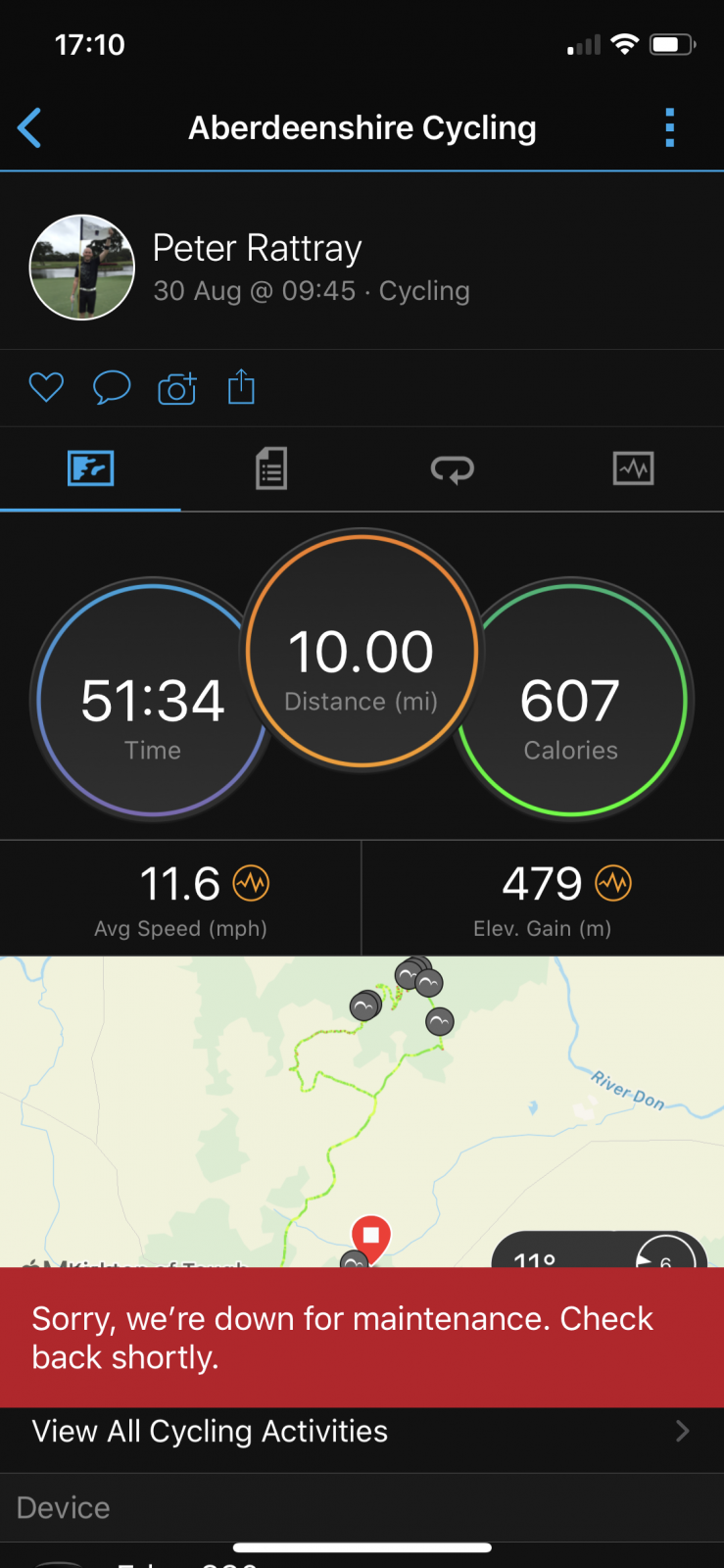
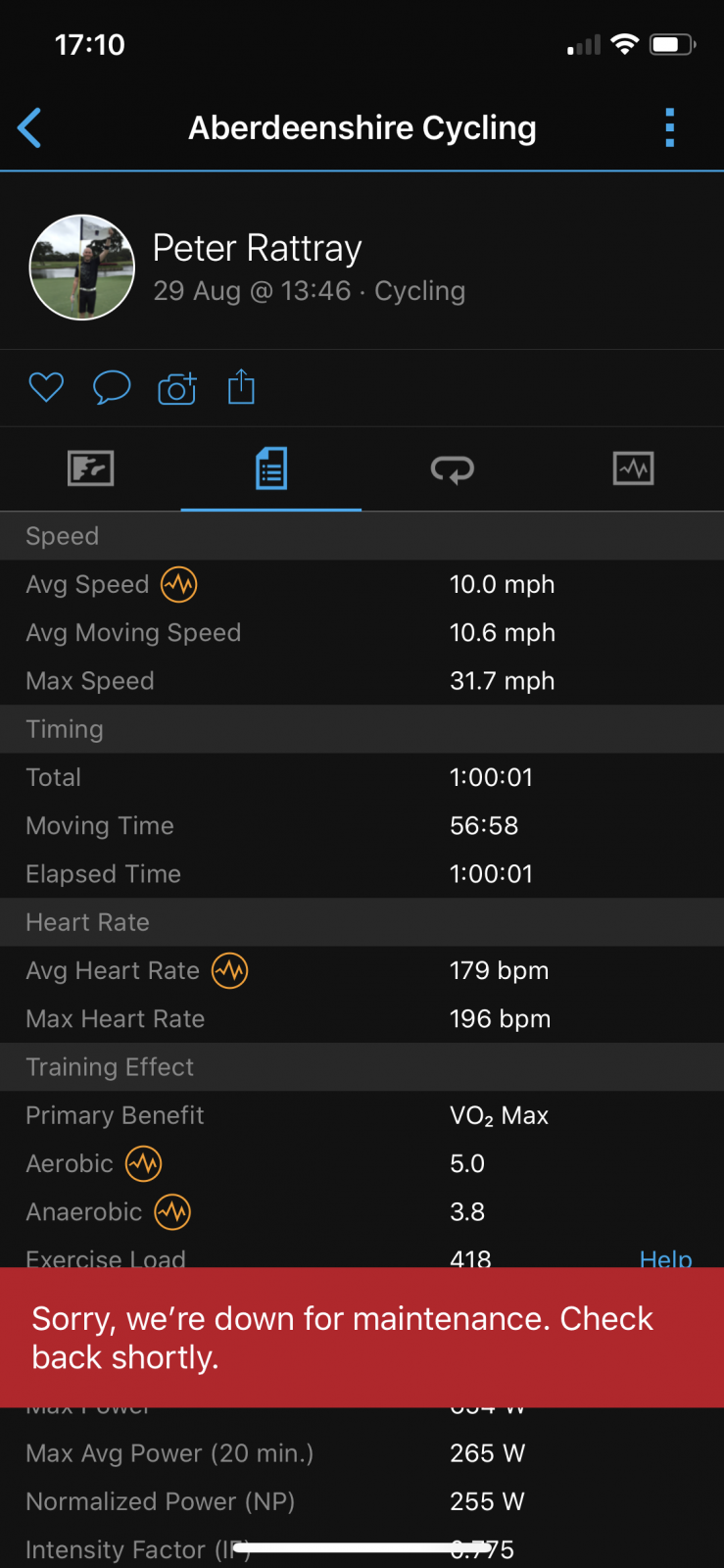
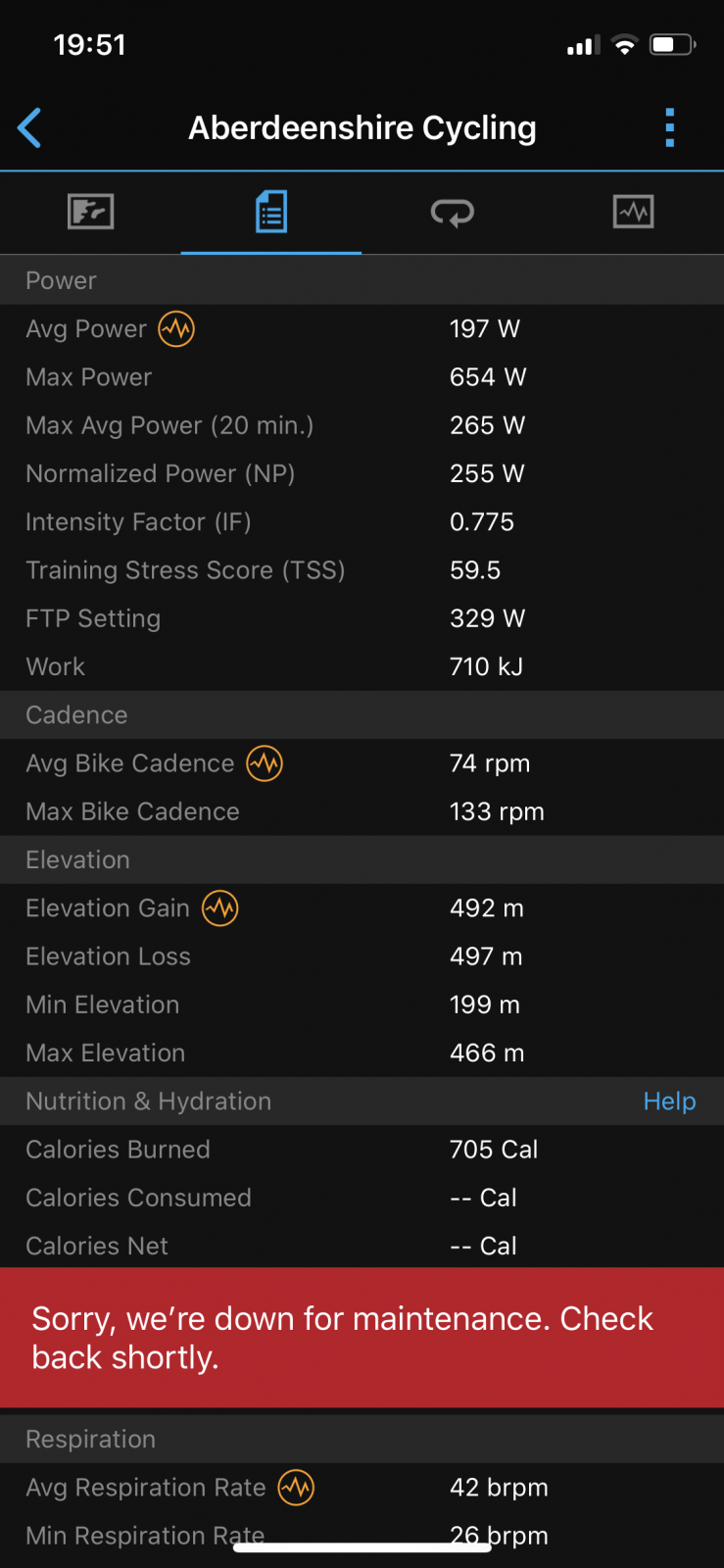
As you can see, it took me 1 hour exactly... with 56.58mins of this as my moving time. I stopped in 2 places for a drink of water.
My battery was at 64% when I reached the car.
Today, I set Turbo to 35/80 and did the same route again. My battery was fully charged for this one too.
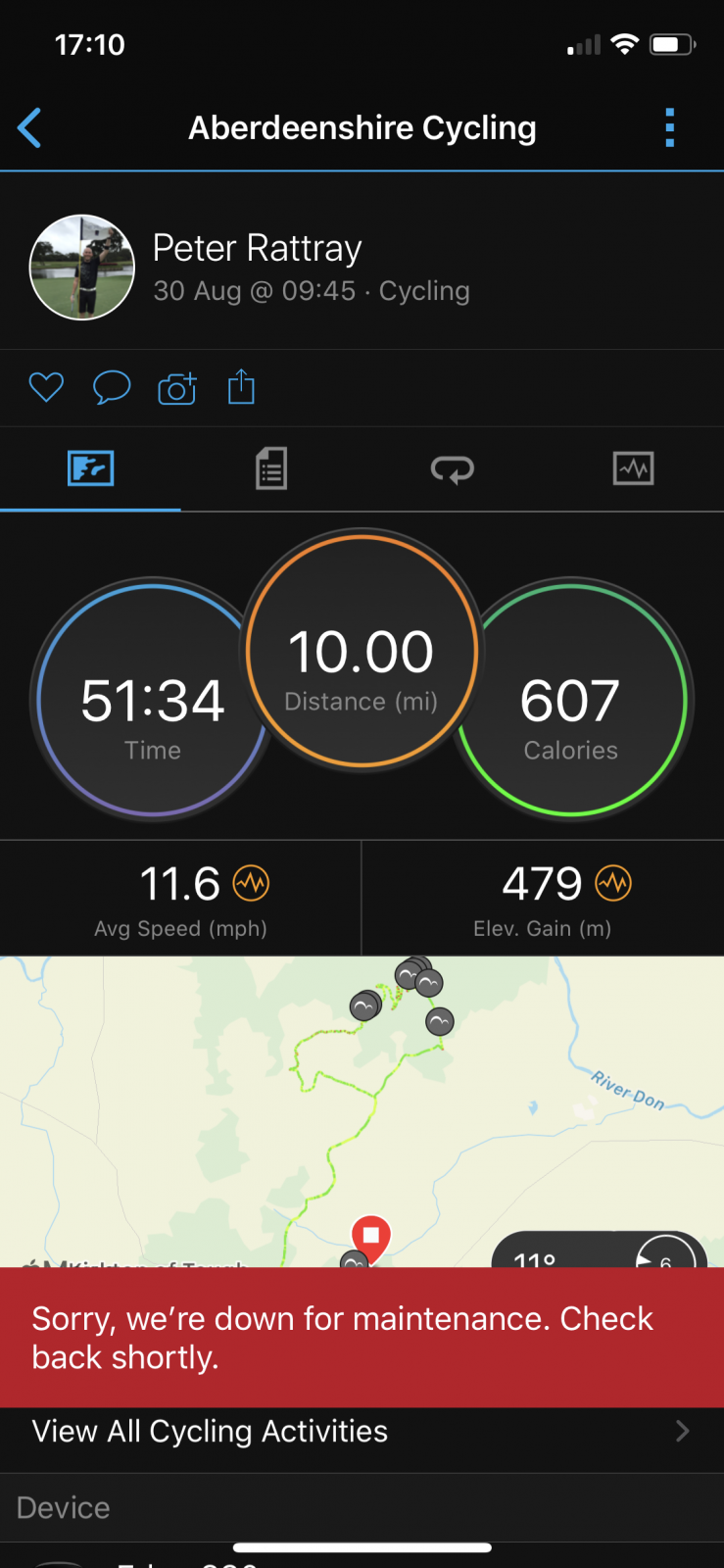
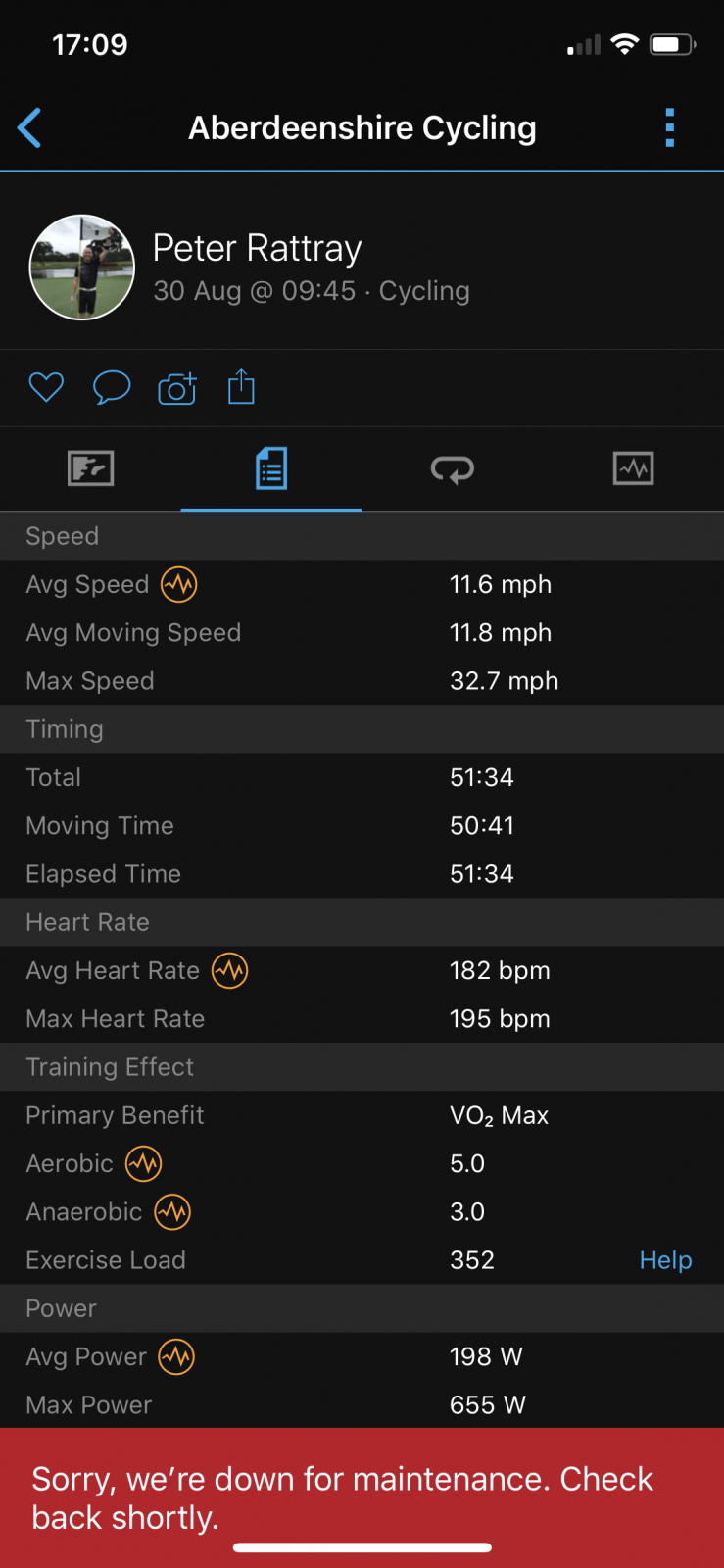
This one took me 51.34mins, with 50.41mins moving. I only stopped for 1 drink this time. The reason being that there was a guy sitting at the top, and I knew if I stopped, I’d have ended up ruining my experiment and having a chat... so I just kept going!!
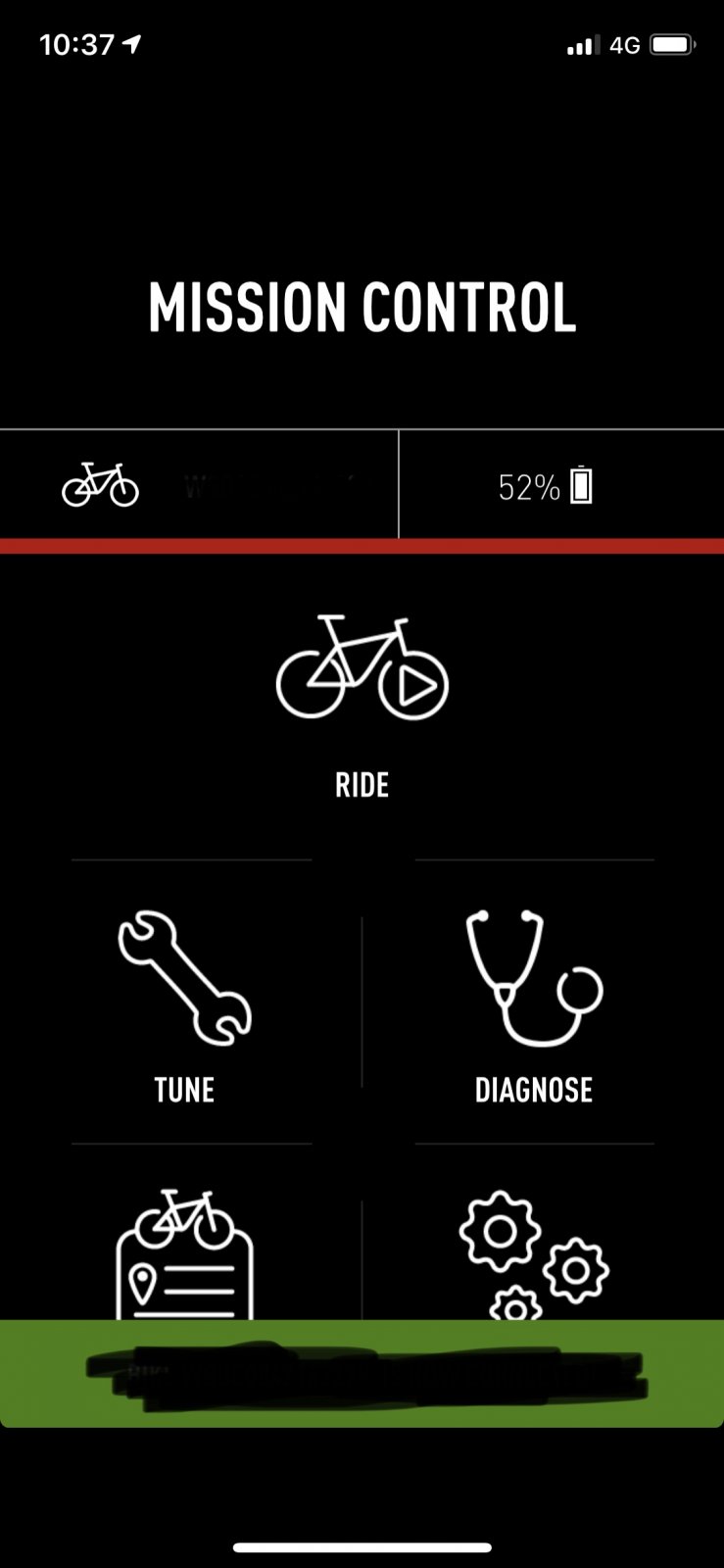
At the end of this one, my battery was at 52%.
So - what’s the conclusion?!
To me, it was obvious when riding in Turbo that it was going to use more battery as it accelerated quicker. The motor seemed to kick in much quicker and also seemed to be louder. It also had more over-run when I stopped pedalling. The easiest way to describe it would be as more aggressive.
If anything, my legs were a bit more tired today (Turbo) after my first ride in a few weeks... yet it was still 6mins and 17secs quicker. Over a 1 hour ride, that’s quite a significant difference.
It also used 12% more battery. Again - a significant difference over a 10 mile ride.
I tried my best to make sure it was a fair test. I was pushing pretty hard on both rides, and was pedalling most of the time with the exception of some downhill parts. I had similar clothing on both rides, so would have weighed the same... and the conditions were identical on both days.
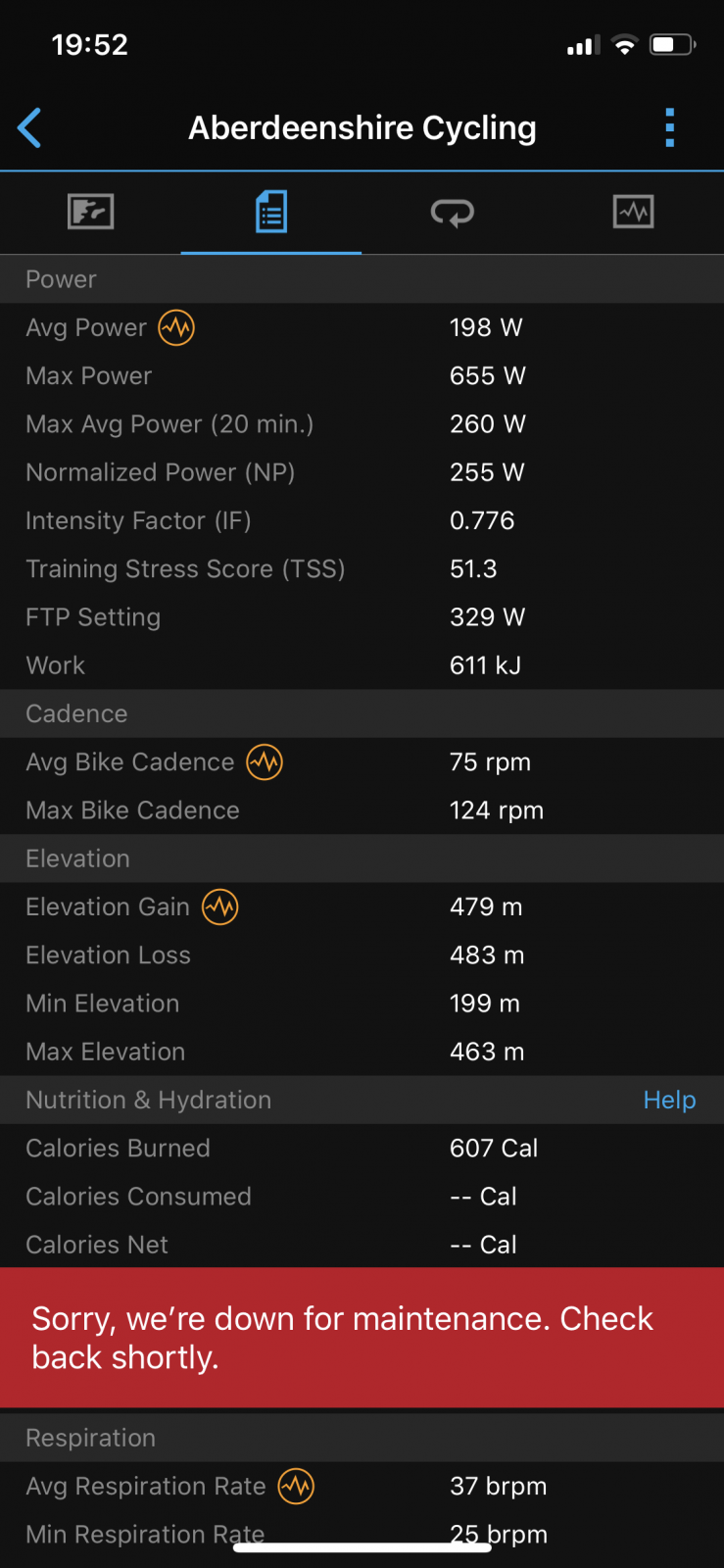
Hopefully the Garmin data for Power and Cadence etc shows that both rides were very similar.
I used my 30 day satisfaction guarantee to swap it for the Levo SL expert - as I wanted a ‘little bit’ of assistance rather than loads!
Since then, I’ve been changing my Mission Control settings every few rides trying to find the optimum setting for me.
Up until this weekend I’ve been running Eco @ 15/25, Trail @ 30/80 and Turbo @ 100/100 (mine is still on a Firmware where the middle setting with 2 lights is Trail and not Sport!). I ride in Trail 99% of the time.
Eco is for emergencies, when the battery isn’t going to last long enough... and Turbo is for if I need extra assistance on some
Technical climbs. I want to ditch the handlebar remote... so having the perfect setting would remove the need for it.
I read quite recently that Eco / Trail / Turbo all have different characteristics even if they are set the same... so I thought I’d test this out for myself.
I haven’t been on my bike much this month, as I pulled a muscle in my back playing golf a few weeks ago. It’s now feeling much better, but still not 100%... so I decided now was a good time for this experiment.
The route was at Pitfichie in Aberdeenshire - about 25 miles from my house. It’s exactly 10 miles and just under 500m elevation - approx 7 of them are fire road (with lots of hills), 1.5 miles of technical climbing, and 1.5 miles of single track downhill.
On my Stumpjumper, this takes me about 1hr and 20 mins, and on the Trek Rail it took 45 mins.
Yesterday, I set Eco to 35/80 and did this route. I started with my battery at 100%
As you can see, it took me 1 hour exactly... with 56.58mins of this as my moving time. I stopped in 2 places for a drink of water.
My battery was at 64% when I reached the car.
Today, I set Turbo to 35/80 and did the same route again. My battery was fully charged for this one too.
This one took me 51.34mins, with 50.41mins moving. I only stopped for 1 drink this time. The reason being that there was a guy sitting at the top, and I knew if I stopped, I’d have ended up ruining my experiment and having a chat... so I just kept going!!
At the end of this one, my battery was at 52%.
So - what’s the conclusion?!
To me, it was obvious when riding in Turbo that it was going to use more battery as it accelerated quicker. The motor seemed to kick in much quicker and also seemed to be louder. It also had more over-run when I stopped pedalling. The easiest way to describe it would be as more aggressive.
If anything, my legs were a bit more tired today (Turbo) after my first ride in a few weeks... yet it was still 6mins and 17secs quicker. Over a 1 hour ride, that’s quite a significant difference.
It also used 12% more battery. Again - a significant difference over a 10 mile ride.
I tried my best to make sure it was a fair test. I was pushing pretty hard on both rides, and was pedalling most of the time with the exception of some downhill parts. I had similar clothing on both rides, so would have weighed the same... and the conditions were identical on both days.
Hopefully the Garmin data for Power and Cadence etc shows that both rides were very similar.
Last edited:


