Can you use Garmin 800 to get info from Levo ?

MajorUpset

Member
Joined
Jul 22, 2018
Messages
13
Reaction score
4
Location
Worcs
I’m about to purchase a 2018 Levo and was wondering if any of you have connected a Garmin 800 to display battery info from the bike ?

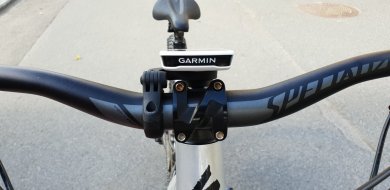
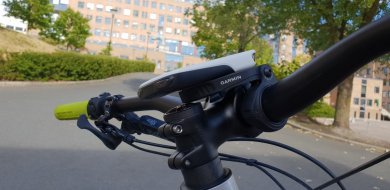
Also... slightly related ... can someone suggest a good mount that puts the 800 over stem (so it doesn’t protrude out the front of the bars) ?

Cheers.
 
⚡ EMTB Pro Go Pro — Living Intelligence Reports, exclusive discounts & ad-free Up to 25% off Peaty's, PEMBREE, Magicshine & more · Ad-free browsing · Pro badge See the deals →
The Garmin 800 won't work, can't download the Connect IQ app.

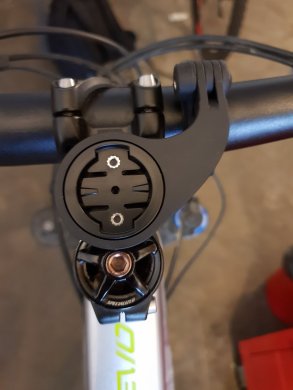
Is use a Garmin 1000 and this stem mount:

k.jpg
 
I have the Garmin Fenix 3 HR and the Garmin-Specialized app is also not compatible with that device as well. But that fake-channel thing sounds good... will try it today, thanks!
 
You need to set it up using the specialized app, pick a channel you're not using (like power meter) and then the garmin should pick it up. Although it may only work for Bluetooth not ant..give it a try and report back, I haven't got around to it yet.
 
Ok, i've tried it and it works like a charm.
My Garmin Fenix 3 HR is not listed in the compatible devices list of the Garmin-Specialized App, but that app isn't needed to get the battery info displayed. As long your device has ANT+ (to connect a heart rate chestband) it should work using the Mission Controls "fake-channel".
All you have to do is:
1. activate the "fake-channel" in mission control and set it to e.g. "cadence" (if you don't use a real cadence sensor, otherwise select another channel).
2. go to your garmin (or any other ANT+) device settings >> sensors >> and scan for new sensors while the bike is powered up.
3. for me, it instantly found 2 new sensors "cadence" and "power output". I've activated them both.
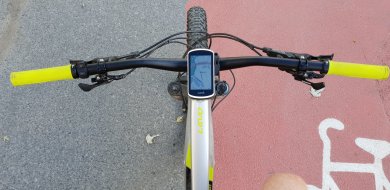
4. now you can add the datafield "cadence" to your display and it shows the remaining battery percentage (red circle).
5. you now also can add the datafield "power output" which displays the actual rider power output in watts (blueish circle on the left).
6. with this comes some other datafields like "average power output" (blueish circle on the right) as well as "max power output", "power output per kg weight", etc.
1533036346835.png

* Sorry for the blurry image, i've shot this while riding on a fireroad
** the remaining battery percentage is labeled "TF" because "Trittfrequenz" is german for "cadence".
 
Last edited:
Perfect. Worked on my Fenix 3 watch and on my Garmin Edge 800. Now I have the speed and battery and distance all easy to access.

Very Cool.

Top man, thanks.
 
  • Like
Reactions: Dax
Newbie here also. Just got my Levo this past week and also have a Garmin 800. OP, i use this mount which i attach near the stem facing back (towards the rider). The Garmin mount is right over the stem and does not protrude in front of the handlebar. I believe there's a newer model, but similar products will work the same. I haven't set the Mission Control yet; the bike is at the shop with shifter failure :(

https://www.amazon.com/gp/product/B00CQNJB0Y/ref=oh_aui_detailpage_o04_s01?ie=UTF8&psc=1
 
Keep reading
    Browse all

    Community Stats

    Since 2018
    673K
    Messages
    41,629
    Members
    Join 30,000+ Riders, it's free!
    Back
    Top